



DPIIT Startup India recognisedDigiLocker integratedG20 India 2023Google for Education partner

Smart ERP for Schools, Colleges & Universities

AI Insights & Tips on the Best School ERP Software

APAAR ID Explained: What It Is, Why India Is Introducing It, How to Download It, and What Schools & Colleges Need to Know in 2026
Admin

APAAR ID Explained: What It Is, Why India Is Introducing It, How to Download It, and What Schools & Colleges Need to Know in 2026

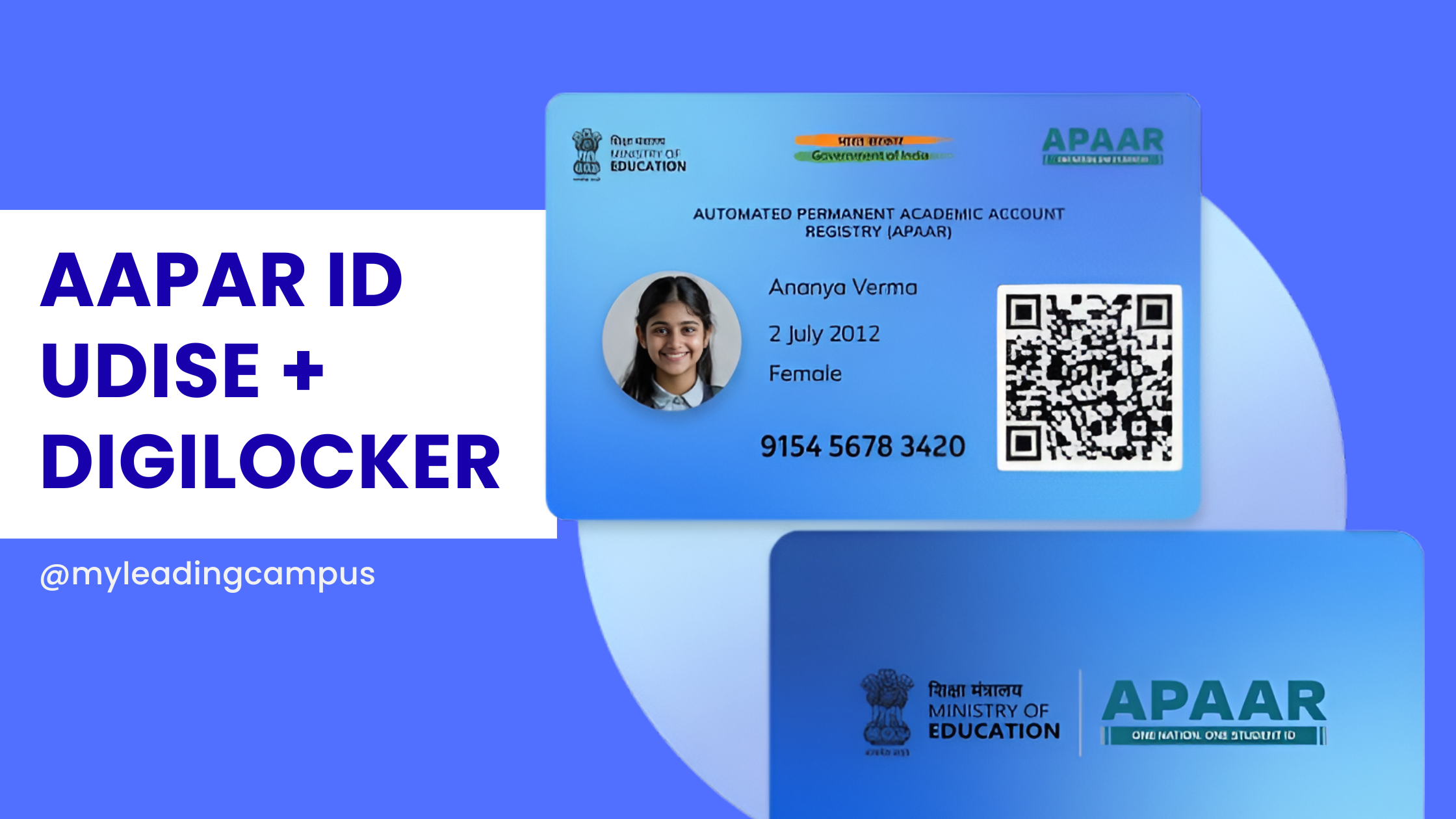
If you've recently attended an education conference, spoken to a school administrator, or opened a circular related to digital education, you've probably heard one term repeatedly. APAAR ID. For some institutions, it's exciting. For others, it's confusing. And for many schools and colleges, it's simply another government initiative they're trying to understand. Questions are everywhere. What is APAAR ID? Is APAAR ID mandatory? How do students get an APAAR ID? What is Academic Bank of Credit? How does APAAR connect with DigiLocker? Can schools generate APAAR IDs for students? How do institutions manage thousands of students without doing everything manually? These are genuine questions. And honestly, the confusion is understandable. Because APAAR isn't just another student ID card. It is part of a much bigger plan. A plan to digitally connect a student's entire academic journey. Let's understand it properly. First Things First: What Is APAAR ID? APAAR stands for: Automated Permanent Academic Account Registry. It is a unique lifelong digital academic identity for students in India. Think of it this way. Just like PAN connects your financial records and Aadhaar verifies your identity, APAAR is being designed to connect your educational journey. The goal is simple. A student should not have to repeatedly recreate their academic history every time they change schools, move to another state, or pursue higher education. Instead, their records should travel with them. Why Is India Introducing APAAR ID? This question is important because APAAR did not appear overnight. It is part of India's larger education transformation under the National Education Policy (NEP) 2020. For decades, educational records have been fragmented. Schools maintained their own systems. Boards maintained separate systems. Universities maintained different systems. Students carried physical certificates. Verification took time. Sometimes records were lost. Sometimes records were difficult to authenticate. The government wants to change that. The idea behind APAAR is simple: a student should have one lifelong academic identity instead of creating new records at every stage of education. APAAR ID Means More Than Just an ID Number Many people assume APAAR is another ID card. It isn't. It is a digital academic ecosystem. Over time, it may connect: Student profiles Academic achievements Certificates Co-curricular activities Skill development records Credit transfers Higher education records Lifelong learning achievements In simple words: APAAR is trying to build a permanent academic timeline for every student in India. Why Schools Are Suddenly Talking About APAAR If you speak to school administrators today, you'll notice a common pattern. They're asking practical questions. How do we create APAAR IDs? How do we get consent from parents? How do we manage thousands of students? How do we avoid manual errors? These are valid concerns. Creating APAAR IDs for 100 students is manageable. Creating APAAR IDs for 5,000 students is a completely different challenge. Schools need systems. Not more spreadsheets. What Is the Relationship Between APAAR and Academic Bank of Credit (ABC)? This is where many people get confused. Academic Bank of Credits (ABC) is primarily designed for higher education. Think of it as a digital bank account for academic credits. Students earn credits while studying. Those credits are stored digitally. Students can carry those credits if they move between institutions. APAAR acts as the academic identity that helps connect these systems. In the future, this could support flexible learning pathways. Especially for universities and autonomous institutions. APAAR ID Full Form Many users search this directly. APAAR full form is: Automated Permanent Academic Account Registry It is a unique lifelong academic identity introduced under India's digital education initiatives. APAAR ID Kya Hai? For Hindi-speaking users: APAAR ID ek permanent academic identity hai jo student ke poore educational journey ko digitally connect karne ke liye banaya gaya hai. Iska objective hai ki ek student ke academic records alag-alag jagah par scattered na rahein. Instead, ek centralized digital identity maintain ho. Is APAAR ID Mandatory? This is one of the most searched questions. The answer is nuanced. Many states and institutions are actively implementing APAAR as part of ongoing digital education initiatives. However, institutions should always follow the latest government guidelines and state-level directives before implementation. Parents and students should be informed properly. Consent processes should be followed wherever applicable. How to Get APAAR ID? Students generally do not create APAAR IDs independently. The process usually involves institutions. The broad steps are: Student information is verified. Parent consent is obtained where required. School uploads student records. Identity verification takes place. APAAR ID is generated. Processes may evolve over time as government guidelines are updated. How to Download APAAR ID? Many users search: APAAR ID download Download APAAR ID The exact process may vary depending on implementation channels and integrations available at the time. Students should check with: Their school Their college Official government portals DigiLocker integrations where applicable Institutions usually guide students through the process. The Biggest Challenge Isn't Generating APAAR IDs The biggest challenge is managing data. Schools often underestimate this. Generating an APAAR ID is only one part of the process. Data accuracy is far more important. Imagine maintaining: Student names Parent details Admission numbers Aadhaar-linked information Academic records for thousands of students. Even small errors create delays. This is why institutions are moving towards integrated school management systems. Why Manual Processes Will Eventually Become Unsustainable Let's be realistic. Educational institutions are already managing: Admissions Attendance Fees Examinations Timetables Academic records Government compliance Adding another digital initiative manually creates more workload. The institutions that adapt early usually build systems around these processes rather than adding more administrative work. How Technology Can Help Institutions Manage APAAR Better This is where integrated platforms become useful. Instead of maintaining separate records everywhere, institutions can centralize data management. MyLeading Campus® provides a dedicated APAAR ID solution designed to help schools manage the process efficiently. Learn more here: Click here The objective isn't to add another software. The objective is to reduce repetitive administrative work. Why This Matters Beyond Compliance Sometimes schools see government initiatives as compliance exercises. But APAAR has a bigger implication. Students are becoming digital learners. Their educational journey is becoming portable. Verification is becoming faster. Academic records are becoming easier to manage. The institutions that prepare today will adapt more easily tomorrow. About MyLeading Campus® MyLeading Campus® is a comprehensive education management platform trusted by educational institutions across India. Today it is: Used by 219+ educational institutions Government of India Recognised DPIIT Registered Startup DigiLocker Authorised Partner Award-Winning Education Technology Platform It helps institutions manage: School ERP College ERP University ERP APAAR ID Management NAAC Management Training & Placement Management Alumni Management Examination Management Frequently Asked Questions (FAQs) What is APAAR ID? APAAR ID is a lifelong digital academic identity for students in India. What is APAAR ID full form? Automated Permanent Academic Account Registry. What is APAAR ID means? It is a digital identity that connects a student's educational journey. Is APAAR ID mandatory? Institutions should follow the latest government and state guidelines regarding implementation. How to get APAAR ID? Students usually receive it through their school or institution. How to download APAAR ID? Students should check with their institution and official implementation channels. What is Academic Bank of Credit? It is a digital repository that stores academic credits earned by students in higher education. Is APAAR connected to NEP 2020? Yes. It is part of India's broader digital education transformation. Can schools generate APAAR IDs? Yes, institutions play an important role in generating and managing APAAR IDs. Where can institutions learn about APAAR solutions? Visit: Click here Final Thoughts Twenty years ago, students carried paper files. Ten years ago, schools started digitizing records. Today, India is trying to create a connected academic identity. APAAR is a step in that direction. There will be challenges. There will be learning curves. But the broader objective is clear. Make educational records easier to create, easier to verify, and easier to carry throughout a student's life. And for schools, colleges, and universities, that journey has already begun.
Read more
Training and Placement Management Software for Colleges and Universities: Complete Guide
Admin

Training and Placement Management Software for Colleges and Universities: Complete Guide

What Actually Happens Inside a College Placement Cell During Placement Season (And Why More Institutions Are Moving Beyond Excel): Complete Guide for 2026 Every year, around July or August, a different kind of academic season begins inside colleges and universities. Students continue attending classes. Faculty members focus on lectures, assignments, and examinations. Departments prepare for a new academic session. But inside the Training and Placement Cell, another process quietly begins. Placement officers start receiving calls from recruiters. Students begin asking about internships. Training sessions need to be scheduled. Placement records need updating. Resume collections begin. Initially, everything feels manageable. Then placement season arrives. And suddenly, information starts flowing from every direction. The challenge for most institutions is not finding information. The challenge is managing thousands of pieces of information efficiently when students, recruiters, departments, and placement teams all need access at the same time. This is why many colleges and universities across India are moving towards dedicated Training & Placement Management Software instead of relying on spreadsheets, emails, and WhatsApp groups. The Reality Inside Most Placement Cells Let's imagine a placement officer named Rajesh. Rajesh works at a university with approximately 4,000 students across multiple departments. Every year, his placement team manages: Student profiles Resume collection Training programs Attendance records Internship opportunities Company registrations Campus recruitment drives Placement statistics Recruiter communications None of these tasks are difficult individually. The difficulty begins when everything needs to work together. Student eligibility depends on academic records. Placement opportunities depend on training participation. Recruiters need updated student information. Management needs placement reports. Students need timely communication. When information is scattered across multiple files and systems, even simple tasks become time-consuming. The Day a Recruiter Requests Eligible Student Data One afternoon, a recruiter calls Rajesh. The company is planning to hire software developers and needs a list of eligible candidates before the end of the day. Sounds simple. But eligibility depends on multiple factors: Academic performance Backlog status Training completion Skill requirements Resume availability Now the placement team begins searching. One spreadsheet contains academic records. Another contains training attendance. Student resumes are stored separately. Internship records are maintained elsewhere. Hours are spent gathering information that should have been available instantly. Most placement officers don't need more work. They need fewer disconnected systems. Students Face Similar Challenges Now look at the same situation from a student's perspective. A final-year student wants to know: Which companies are currently hiring? Am I eligible? Has my application been submitted? Have I been shortlisted? When is the interview scheduled? In many institutions, information arrives through multiple channels. Some notices are shared through WhatsApp groups. Others are sent through emails. Some are posted on notice boards. Important updates often get missed. And sometimes students lose opportunities simply because communication was not centralized. Why Modern Institutions Are Digitizing Placement Management The role of a Training & Placement Cell has changed significantly over the last decade. Today, institutions are expected to manage much more than campus placements. They must also manage: Internships Skill development programs Training attendance Industry interactions Career counseling Recruiter engagement Student employability tracking This requires a connected ecosystem rather than disconnected files. That is exactly where a dedicated Training & Placement Management Platform becomes valuable. A Platform Built for Three Different Stakeholders One of the biggest strengths of modern placement software is that it serves three different groups through dedicated logins. 1. Institute Login Placement Officers, Training Coordinators, Principals, Directors, and Management Teams get complete control over placement activities. Institutions can: Manage student records Create placement drives Track applications Monitor internships Manage training sessions Generate reports Track placement statistics 2. Student Login Students receive their own dedicated portal where they can: Create professional profiles Build resumes Apply for jobs Apply for internships Track application status Receive notifications View placement opportunities 3. Recruiter Login Recruiters get direct access to: Post jobs Post internships Search eligible candidates Manage recruitment drives Track hiring progress Communicate with placement teams When students, recruiters, and institutions operate on the same platform, communication becomes faster, more accurate, and easier to manage. Placement Success Starts Long Before Final Year One of the biggest misconceptions in higher education is that placements begin in the final year. In reality, placements begin much earlier. They start with: Aptitude training Communication skills Technical workshops Mock interviews Industry exposure Internships A good placement management platform helps institutions track these activities throughout a student's academic journey. This gives placement teams better visibility into student readiness. Resume Building Should Not Be a Last-Minute Activity Every placement officer has seen students rushing to prepare resumes just before placement drives begin. Certificates go missing. Projects are forgotten. Internship details become difficult to remember. Modern Training & Placement Software solves this problem through integrated resume building. Students can continuously update: Projects Skills Certifications Achievements Internships Workshops attended By placement season, most of the information is already organized. Attendance Tracking for Training Programs Training programs are a major investment for institutions. Yet many colleges struggle to answer simple questions: Who attended? Who missed sessions? Which department participated most? What was the completion rate? With automated attendance tracking, institutions can monitor participation and identify students who need additional support. Real-Time Dashboards for Better Decision Making Good dashboards are not just about graphs. They help management make informed decisions. Institutions can instantly view: Placement percentage Internship statistics Recruiter engagement Training participation Department-wise performance Session-wise reports Instead of waiting days for reports, information becomes available instantly. Session-Wise Data and Historical Records Historical placement data becomes extremely important during: NAAC Accreditation NBA Accreditation IQAC Reviews Management Meetings Government Audits Institutions can access year-wise and session-wise placement records whenever required. About MyLeading Campus® MyLeading Campus® is a comprehensive College and University Management Software trusted by educational institutions across India. Today, MyLeading Campus® is: Used by 219+ Educational Institutions Recognized by the Government of India DPIIT Registered Startup Authorized DigiLocker Partner Award-Winning Education Technology Platform Serving Schools, Colleges, Universities, and Training Institutions Beyond ERP, MyLeading Campus® provides specialized solutions for: College ERP University ERP Training & Placement Management NAAC Management Alumni Management Examination Management AI-powered Education Solutions Start Using Training & Placement Management Software for Free You don't need a large budget to start digitizing your placement operations. Institutions can start using the MyLeading Campus® Training & Placement Management Platform free of cost. Free Registration: Training & Placement Solution Details: Request a Demo or Contact Our Team : Related Resources Features of College ERP: A Practical Guide What is College & University ERP? Top 10 Benefits of College ERP Top College ERP Systems in India Best College Management Software in India College ERP Pricing Guide Final Thoughts The institutions that consistently improve placement outcomes are not always the institutions with the largest budgets. Often, they are the institutions that organize information better, communicate faster, and make data-driven decisions. Training and placement management is no longer just an administrative function. It is a critical part of student success, institutional reputation, and long-term growth. Sometimes improving placements isn't about finding more recruiters. It's about managing the entire placement journey more effectively.
Read more
The guide to college and university erp integration time and on premise server solution in 2026
Admin

The guide to college and university erp integration time and on premise server solution in 2026

How Long Does College,Universities ERP Integration Take? Timelines & On-Premises Solutions Colleges and universities today are not simply searching for another software provider. They need a technology partner who understands how Indian institutions actually work — from admissions and examinations to NAAC processes, finance, and day-to-day administration. That is where MyLeading Campus® makes a difference. Built in India for Indian educational institutions, MyLeading Campus® helps affiliated colleges, autonomous colleges, deemed universities, and private universities manage their complete campus operations from one place. From admissions and academics to examinations, finance, student communication, and NAAC-related work, the platform is designed to reduce manual work and simplify daily operations. Proudly Indian. Built for Indian Institutions. MyLeading Campus® is not just another ERP company. It is a proudly Indian education technology platform trusted by institutions across the country. The platform is: DPIIT Registered Startup ISO 9001:2015 Certified DigiLocker Authorized Partner Google for Education Partner These recognitions matter because educational institutions today need secure, scalable, and compliant systems that can grow with them. Every institution has its own way of working. Some follow CBCS structures, some are autonomous, while others have specific university or NAAC requirements. MyLeading Campus® is flexible enough to adapt according to the institution’s academic structure and operational workflow instead of forcing institutions to change their process. Designed for Colleges, Universities, and Autonomous Institutions Many software platforms are either school-focused or too generic. MyLeading Campus® is specifically designed keeping Indian higher education institutions in mind. If you are searching for a complete ERP for colleges, you can also explore: Best College Management Software in India Best University ERP for Autonomous and Deemed Universities The software supports: Admission Management Alumni Management Training and Placement Management Student Information System Examination & Result Management NAAC Documentation Outcome Based Education (OBE) Attendance Management Fees & Finance HR & Payroll Hostel & Transport Alumni Management Learning Management System AI-enabled Automation Mobile Apps for Students, Faculty, Parents & Management Fast Integration Support Without Long Waiting Time One of the biggest concerns institutions face while changing ERP software is integration delays. Most universities worry about questions like: “How long will payment gateway integration take?” “Can this connect with our CRM?” “Will Tally integration take months?” “Can we use our existing systems together?” MyLeading Campus® focuses heavily on quick integration timelines so institutions can start operations faster. Payment Gateway Integration in Just 3 Days Online fee collection has become essential for colleges and universities. MyLeading Campus® supports integration with multiple payment gateways including: Razorpay PhonePe NTT DATA PayU JioPay These integrations can usually be completed within 3 working days . This helps institutions start online fee collection quickly with secure payment tracking, automated receipts, reconciliation, and student notifications. CRM and Communication Integration Within 48 Hours Admissions and lead management have become highly competitive. To support admission teams and counselors, MyLeading Campus® integrates with: Salesforce Zoho Tata Tele telecalling systems Most of these integrations can be completed within 48 hours depending on access availability. This helps institutions: Track admission leads Automate follow-ups Record telecalling activities Manage counselor performance Improve admission conversion rates Calendar and Meeting Platform Integration Modern institutions use multiple tools for online classes, meetings, interviews, webinars, and counseling. MyLeading Campus® supports fast integration with: Calendly — within 24 hours Zoom — within 24 hours Google Meet — within 24 hours Microsoft Teams — within 24 hours This makes online scheduling and virtual academic operations easier for faculty and administration teams. Tally and SAP Integration for Finance Teams Finance departments often hesitate before changing ERP because accounting integrations are critical. MyLeading Campus® supports integration with: Tally SAP Implementation time is generally around 7 working days . This helps institutions synchronize: Fee collection Financial reports Accounting entries Payroll records Finance reconciliation without duplicate manual work. Moodle Integration in Just 2 Days Many colleges and universities already use Moodle for LMS and online learning. MyLeading Campus® can integrate with Moodle within 2 working days , helping institutions connect academics, attendance, assignments, and learning activities under one ecosystem. Customization Support Based on Institutional Needs Every college and university operates differently. Some institutions follow strict autonomous workflows. Some require complex examination patterns. Others need special approval hierarchies, biometric integrations, or department-level custom modules. MyLeading Campus® is highly customizable according to institutional requirements. Customization support may include: Custom admission workflows Autonomous examination structures Specialized grading systems Department-specific approvals Custom reports NAAC data requirements Multi-campus management University-affiliated workflows The implementation team works closely with institutions to understand operational challenges before deployment. On-Premises Server Deployment Available Not every institution prefers cloud-only hosting. Many universities and government institutions want their data to remain within their own campus infrastructure due to internal policies, security requirements, or compliance reasons. MyLeading Campus® also provides On-Premises Deployment options, where the ERP can be hosted directly on the institution’s own physical servers inside the campus. Today, the platform supports thousands of active users and continues to grow across schools, colleges, and universities in India. This gives institutions more control over: Data security Internal server policies Network access Storage management Internal IT governance Institutions can choose between: Cloud Hosting Hybrid Deployment Fully On-Premises Campus Server Hosting depending on their requirements. Why Institutions Trust MyLeading Campus® Educational institutions prefer long-term reliability over temporary promises. MyLeading Campus® focuses on: Easy-to-use interface Faster implementation Quick integrations Reliable support Affordable pricing Customization flexibility Indian education compliance Dedicated onboarding assistance The platform is already supporting thousands of daily users and continues to scale across schools, colleges, and universities in India. Final Thoughts Choosing an ERP is about much more than just ticking boxes on a feature list. The real test is how naturally the software blends into the way your staff already works. You need those custom updates and tool integrations to happen quickly and smoothly, without bringing your campus's daily routine to a halt MyLeading Campus® combines: Fast integration timelines Strong customization capability Indian education expertise Secure deployment options Scalable infrastructure Reliable support for colleges, universities, autonomous institutions, and deemed universities across India. If your institution is planning ERP implementation, digital transformation, NAAC preparation, online admissions, or centralized campus management, MyLeading Campus® offers a practical and scalable solution designed specifically for Indian higher education institutions. Ready to Upgrade Your Campus? Contact us today Frequently Asked Questions (FAQs) 1. Is MyLeading Campus® only for universities or can colleges also use it? MyLeading Campus® is made for both colleges and universities. Whether your institution is affiliated, autonomous, private, or deemed, the software can be adjusted according to your way of working. 2. We already use other software. Can MyLeading Campus® work with them? Yes, definitely. Many institutions already use tools like Tally, Moodle, Salesforce, Zoho, Zoom, or payment gateways. MyLeading Campus® can connect with these systems so you do not have to start everything from zero. 3. How quickly can online fee payment be started? In most cases, payment gateway integration can be completed within around 3 working days. This helps colleges start online fee collection faster without long waiting periods. 4. Can we keep the software on our own college server? Yes. If your institution does not want cloud hosting, the software can also be installed on your own campus server. Many universities prefer this for internal policies and better control over data. 5. Is the software difficult for staff and faculty to use? No. The system is designed in simple and easy format so faculty, admin staff, and students can use it without much technical knowledge. Training and support are also provided by the team. 6. Can the software be customized for our university rules and process? Yes. Every college and university works differently. Some have different exam structures, grading systems, approval processes, or NAAC requirements. MyLeading Campus® can be customized according to your institution’s needs. 7. Does MyLeading Campus® help with NAAC work? Yes. Many colleges use the software to manage records, reports, academic data, and department activities which are useful during NAAC preparation and documentation. 8. How much time does implementation usually take? It depends on the size of the institution and the modules required. Basic setup can start quickly, while bigger customizations and integrations may take a little more time. 9. Will students and teachers get mobile app access? Yes. Separate mobile apps are available for students, faculty, parents, and administrators for attendance, notices, assignments, fees, communication, and academic updates. 10. Is MyLeading Campus® an Indian company? Yes. MyLeading Campus® is a proudly Indian ERP platform built specially for Indian educational institutions. It is also DPIIT Registered, ISO 9001:2015 Certified, DigiLocker Authorized Partner, and Google for Education Partner.
Read more
The Ultimate Guide to the HPC Report Card: Meaning, CBSE Guidelines, and Best Software-2026
Admin

The Ultimate Guide to the HPC Report Card: Meaning, CBSE Guidelines, and Best Software-2026

The Ultimate Guide to the HPC Report Card: Meaning, CBSE Guidelines, and Best Software (2026)   The National Education Policy (NEP) 2020 has fundamentally changed how student development is assessed in India. Moving away from rote memorization and stressful year-end exams, the focus has shifted to comprehensive, 360-degree student evaluation. At the heart of this educational revolution is the HPC report card . If you are a school administrator, principal, or educator navigating these new requirements, you are likely looking for the best way to implement these changes smoothly. In this post, we will cover the HPC full form , the holistic progress card meaning , the exact guidelines for HPC as per CBSE , and why adopting dedicated holistic progress card software is the smartest move for your institution. HPC Full Form & Holistic Progress Card Meaning Let’s start with the basics. The HPC full form stands for "Holistic Progress Card." But what exactly is the holistic progress card meaning in practical terms? Unlike traditional mark sheets that only reflect academic scores in subjects like Math and Science, the HPC is a comprehensive evaluation tool. It assesses a student's development across three critical domains: Cognitive: Knowledge, critical thinking, and problem-solving skills. Affective: Emotional intelligence, teamwork, empathy, and social skills. Psychomotor: Physical fitness, coordination, and practical, hands-on skills. It incorporates self-assessment, peer assessment, and teacher evaluation, making the student an active participant in their own learning journey. Implementing HPC as per CBSE Guidelines For schools affiliated with the Central Board of Secondary Education, transitioning to this new format is not just recommended; it is a compliance requirement under NEP 2020. Implementing HPC as per CBSE requires schools to track competency-based learning outcomes rather than just syllabus completion. An effective HPC for CBSE School must reflect a child's unique strengths, learning pace, and areas for improvement without labeling or ranking them against their peers. To understand the deeper administrative challenges and formats, check out our detailed Guide on HPC Format, Examples, and How Schools Can Actually Implement It . The Four Stages of the HPC Report Card The National Curriculum Framework (NCF) divides schooling into four distinct stages, and the HPC format changes to match the developmental needs of the child at each level: Foundational Stage (Ages 3-8) Preparatory Stage (Ages 8-11) Middle Stage (Ages 11-14) Secondary Stage (Ages 14-18) Stay tuned for our upcoming deep-dive blog series where we break down exactly "How to fill the HPC" for the Foundational, Preparatory, Middle, and Secondary stages! Why You Need Dedicated Holistic Progress Card Software Gathering data for self-assessment, peer reviews, project-based learning, and teacher observations for hundreds of students is an administrative nightmare if done manually on paper or basic spreadsheets. This is where holistic progress card software becomes indispensable. Using an automated, NEP-compliant digital platform eliminates data entry errors, saves thousands of teacher-hours, and generates beautifully designed, parent-friendly reports in seconds. At MyLeading Campus, we have developed a state-of-the-art HPC creation software specifically designed to solve this problem. Any school can test a live, customized HPC report card complete with their own custom branding and school logo. ### Benefits of Our HPC Software: 100% NEP & CBSE Compliant: Always up-to-date with the latest board mandates. Custom Branding: Your report cards reflect your school’s unique identity and colors. Easy Data Input: Streamlined dashboards for teachers to input qualitative and quantitative feedback. Live Testing: Don't just take our word for it—test the live customized report card generation yourself before rolling it out to your staff. Take the Next Step for Your School Transitioning to the HPC doesn't have to be overwhelming. With the right knowledge and the right technology partner, your school can lead the way in holistic education. Ready to digitize your assessments? Visit our dedicated Holistic Progress Card (HPC) Landing Page to request your live customized demo. Need more in-depth information? Read our Complete Guide to HPC and NEP 2020 for Schools . Transform your school's evaluation process today and give your students the 360-degree feedback they deserve! contact us today for free demo
Read more
What is APAAR ID? Complete Guide for Schools and colleges 2026
Admin

What is APAAR ID? Complete Guide for Schools and colleges 2026

What is APAAR ID? The Real, No-Nonsense Guide for Schools in 2026 Let's be completely honest for a second: running a school right now is starting to feel a whole lot like running a government data entry center. I was chatting with a bunch of school owners recently at the School Summit in Chandigarh, and almost everyone was stressing over the exact same thing. The APAAR ID mandate. If you are a principal or an administrator navigating 2026, you already know the education department is pushing this hard. But what exactly is it, and how on earth are you supposed to manage it without your admin staff quitting out of sheer frustration? What is APAAR ID, Anyway? Think of it as an Aadhaar card, but strictly for academics. APAAR gives every single student a unique 12-digit lifelong ID number. This number ties directly into the Academic Bank of Credits (ABC). So, whether a kid switches to a new school in a different state, wins a recognized sports tournament, or eventually finishes 12th grade, all that data gets securely locked into their personal digital vault. It's actually a fantastic concept for the students, eliminating the need for physical mark sheets and transfer certificates. But for schools? It is a massive logistical headache. The Hidden Challenge: The UDISE Connection A lot of guides skip over how this actually works in practice. You can't just invent an APAAR ID. The system relies on a very specific chain of verified data: School Data → UDISE Verification → APAAR ID Generation → DigiLocker Storage If your UDISE records are outdated, or if a student's name in your register doesn't perfectly match their Aadhaar card, the whole chain breaks. The government portal simply kicks back an error. The Real Numbers: Manual vs. Automated Let's say you have a school with 1,000 students. If you try to manage the UDISE matching, parental consent, and APAAR generation manually by having staff type into government portals, you are looking at: 30–40% error rates due to data mismatches. Weeks of delays chasing down lost paper consent forms. Constant timeouts because the national portals get overwhelmed. This is exactly why we spent so much time building our APAAR ID software for schools . We wanted to flip those numbers. How MyLeading Campus Actually Fixes It Instead of wrestling with messy Excel sheets, our ERP is fully DigiLocker integrated and compatible . We actually set up a dedicated partner account with DigiLocker just to make sure this API connection is rock solid for our partner schools. We built a centralized dashboard just for school principals. You open it up in the morning, and right there you can see the big picture. You know exactly how many IDs are successfully generated, which classes still need parental consent, and which specific Aadhaar/UDISE names are throwing errors so your team can fix them fast. The software handles the hardest part: the parents. It pushes digital consent requests straight to the parents' smartphones. Once they approve it with a quick OTP, you just select the class and click a button to generate the IDs in bulk. No more typing things one by one. Want to implement APAAR without the stress? Stop paying your staff to do manual data entry. Book a free demo today and I will personally walk you through the exact workflow of our school ERP to show you how easy compliance can be. Quick FAQs 1. Is the APAAR ID actually mandatory for my school? Yes. The Ministry of Education requires it for tracking academic progress and managing the ABC. It is becoming the backbone of student identity in India. 2. Can we generate the ID without UDISE data? No. The government requires verified UDISE data as the foundation before an APAAR ID can be legally generated. 3. What is the role of DigiLocker here? DigiLocker is the actual vault. While APAAR is the ID number, DigiLocker is where the mark sheets and certificates are securely stored and verified. 4. Do we have to use the government website directly? You can, but it is painfully slow for bulk entries. Using a DigiLocker-integrated partner system like MyLeading Campus bypasses the manual data entry and lets you do everything from one screen.
Read more
Holistic Progress Report Card (NEP 2020): Format, Examples, Challenges & How Schools Can Actually Implement It: Guide for Schools 2026
Admin

Holistic Progress Report Card (NEP 2020): Format, Examples, Challenges & How Schools Can Actually Implement It: Guide for Schools 2026

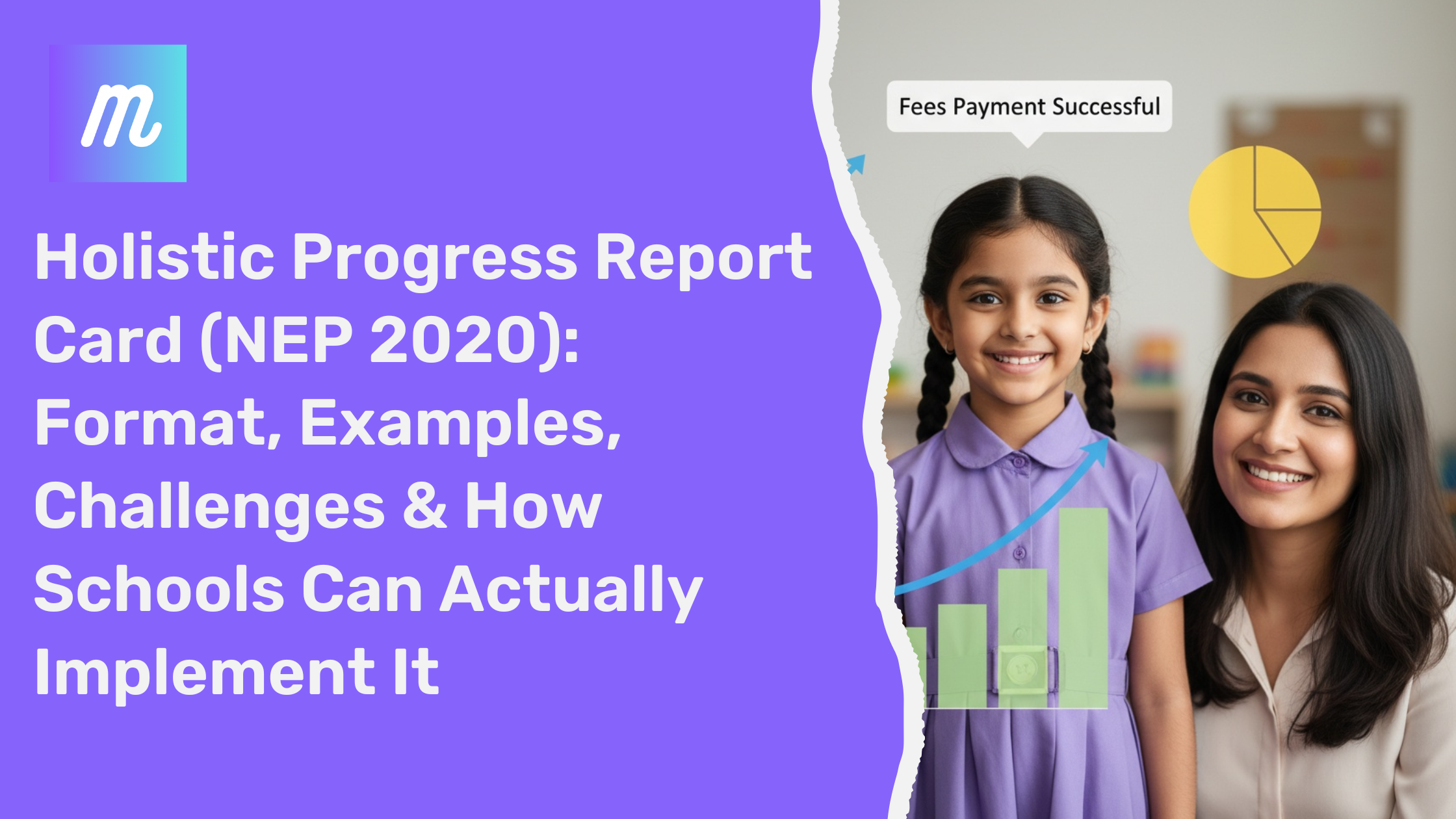
Holistic Progress Report Card (NEP 2020): Format, Examples & Implementation Guide 2026 If you're a school leader or administrator, you've likely heard about the Holistic Progress Report Card (HPC) under NEP 2020. On paper, it sounds simple — focus on skills, not just marks. But in reality, most schools are struggling with implementation. This guide focuses on one thing: how to actually implement HPC without increasing workload. --- What is a Holistic Progress Report Card? A Holistic Progress Report Card (HPC) is a system introduced under NEP 2020 to evaluate a student’s complete development. Academic performance Skill-based learning Behavioral traits Social and emotional growth Unlike traditional report cards, HPC focuses on continuous development, not just exam results. Traditional vs Holistic Report Card Aspect Traditional Holistic Focus Marks Overall Development Evaluation Exam-based Continuous Skills Tracking No Yes Feedback Limited Detailed --- Why Schools Are Struggling No standard format available Too many evaluation parameters High time consumption Teacher resistance due to workload Lack of proper tools Understanding HPC is easy. Implementing it manually is the real challenge. --- Holistic Progress Report Card Format A practical HPC should include: Student Information Academic Evaluation Skill Assessment Co-curricular Activities Behavioral Observations Teacher Remarks 👉 Explore a complete ready-to-use structure here: Holistic Progress Card Full Solution --- Real Challenge: Time Creating one report manually takes ~20 minutes. For 1000 students = 300+ hours of work. This is why schools are moving toward automation. --- Try Live HPC Builder Instead of imagining, try generating a real report: 👉 Try Free Live HPC Builder --- How Schools Are Solving This Manual Method Excel sheets Word templates Copy-paste remarks Result: Errors, delays, frustration Automated Method Pre-built formats Auto remarks One-click generation Result: Speed, accuracy, consistency --- Benefits of Holistic Progress Cards Better student insights Improved parent communication Reduced teacher workload Future-ready system --- Explore Detailed Guide For a deeper understanding, read our complete guide: 👉 Complete HPC Guide for Schools 2026 --- FAQs (Highly Important) 1. What is a Holistic Progress Report Card? It is a NEP 2020-based report system that evaluates academic, behavioral, and skill-based development of students instead of just marks. 2. Is HPC mandatory for schools? While full implementation is evolving, schools are expected to align with NEP 2020 guidelines, making HPC increasingly essential. 3. How can schools create HPC easily? Manual creation is time-consuming. Schools are adopting automated systems to generate reports quickly and accurately. 4. What is included in an HPC? It includes academics, skills, co-curricular activities, behavior, and teacher remarks. 5. How much time does it take to generate one report? Manually: 15–30 minutes Automated: Less than 2 minutes 6. Can HPC be customized? Yes, formats can be customized based on school or board requirements. 7. Why is HPC important? It provides a complete picture of a student's growth, helping teachers and parents make better decisions. 8. Is there any software for HPC? Yes, modern ERP systems now offer automated HPC generation aligned with NEP 2020. --- Final Thought HPC is not just a new format. It’s a shift in how education evaluates students. The real question is: Do you want teachers spending hours creating reports… or minutes generating them? 👉 Try Live Builder 👉 Explore Full Solution
Read more
Holistic Progress Card (HPC) NEP 2020 – Complete Guide for Schools 2026
Admin

Holistic Progress Card (HPC) NEP 2020 – Complete Guide for Schools 2026

For decades, report cards/ Achievement Records in Indian schools meant one thing — marks. But the National Education Policy 2020 (NEP 2020) has changed that. It introduced the concept of the Holistic Progress Card (HPC) — a 360-degree, learner-centric report card designed to reflect not just academic marks, but the overall development of a child. If you are a school leader, principal, or academic coordinator, this guide will help you understand: What is Holistic Progress Card? Why it was introduced? What should it include? How it differs across Foundational, Preparatory, Middle, and Secondary stages? How schools can implement it practically? How to digitize and customize HPC easily? Try HPC Builder for free Why Traditional Report Cards Needed Change Earlier report cards were: Marks-focused Exam-heavy Comparison-based Stress-driven NEP 2020 clearly states in Para 4.35 that assessment must shift towards a multidimensional 360-degree progress card . The goal? Move away from rote memorization Reduce exam pressure Promote self-awareness Focus on competencies, not just marks This vision is also supported by CBSE and PARAKH (Performance Assessment, Review, and Analysis of Knowledge for Holistic Development). What is Holistic Progress Card (HPC)? The Holistic Progress Card is: Learner-centric Competency-based Inclusive Multidimensional 360-degree feedback system It includes: Teacher assessment Self-assessment Peer assessment Skills & competency tracking Social-emotional development Physical and well-being indicators It reflects growth over time, not a single exam score. Structure of Holistic Progress Card as per NEP 2020 NEP introduced the 5+3+3+4 academic structure : Stage Grades Age Focus Foundational Pre-school + Grade 1–2 3–8 Play-based, activity-based Preparatory Grade 3–5 8–11 Experiential learning Middle Grade 6–8 11–14 Subject-oriented Secondary Grade 9–12 14–18 Critical thinking, flexibility Let’s understand how HPC differs across each stage. Holistic Progress Card – Foundational Stage (Pre-Nursery to Grade 2) Focus: Play, curiosity, habits. What should be included? Language development Numeracy readiness Motor skills Social behavior Emotional expression Participation in activities Assessment Style: Observation-based Descriptive feedback Developmental indicators No ranking  This stage must feel encouraging, not evaluative. Holistic Progress Card – Preparatory Stage (Grade 3–5) Focus: Experiential learning. HPC Should Track: Concept clarity Reading & comprehension Application of knowledge Creativity Teamwork Communication skills Environmental awareness Here, numeric grading may begin but must be supported by qualitative feedback. Holistic Progress Card – Middle Stage (Grade 6–8) Focus: Subject understanding + competencies. HPC Must Include: Subject-wise conceptual understanding Analytical ability Problem-solving Digital literacy Research skills Social & emotional growth Participation in projects Peer assessment becomes meaningful here. Holistic Progress Card – Secondary Stage (Grade 9–12) Focus: Depth, critical thinking, life readiness. HPC Should Cover: Core subject mastery Application-based learning Career orientation indicators Life skills Leadership qualities Community engagement Responsibility & ethics Board exams continue, but HPC adds a broader perspective. Key Features of a Proper Holistic Progress Card A strong HPC must be: ✔ Participatory ✔ Inclusive ✔ Flexible ✔ Interdisciplinary ✔ Growth-oriented ✔ Competency-tracking It should build self-esteem , not fear. Components of a 360° Holistic Progress Card A well-designed HPC includes: 1. Academic Performance Concept clarity, understanding, application. 2. Skills & Competencies Cognitive Metacognitive Social-emotional Practical 3. Attitudes & Values Respect Responsibility Environmental awareness 4. Well-being Physical health Participation in sports Emotional stability 5. Self & Peer Reflection Students reflect on: What they did well What they can improve Goals for next term Common Challenges Schools Face in Implementing HPC Too much manual work Teachers confused about rubrics No standard format Lack of digital tools Difficulty in maintaining consistency This is where ERP-based automation helps. How Schools Can Implement Holistic Progress Card Easily Instead of managing spreadsheets, schools can: Define stage-wise templates Create skill-based rubrics Enable teacher, peer, self inputs Auto-generate descriptive feedback Maintain term-wise tracking Share digital report cards A proper ERP system can integrate HPC within academic modules. Read also:   Complete NEP-aligned ERP Guide: HPC with School ERP  Digital Holistic Progress Card – Why It Matters Manual HPC: Time-consuming Inconsistent Hard to archive Digital HPC: ✔ Standardized ✔ Editable ✔ Customizable per school ✔ Easy parent access ✔ Long-term tracking ✔ NEP-compliant Sample Format of Holistic Progress Card A well-designed HPC includes: Student Profile Academic Overview Competency Matrix Co-curricular Record Teacher Feedback Peer Reflection Self-Reflection Parent Remarks Overall Growth Summary Role of PARAKH in Assessment Reform PARAKH is the national assessment centre set up to: Standardize assessment norms Guide school boards Promote competency-based evaluation Reduce rote-driven assessment Schools aligning with HPC are future-ready. Final Thoughts Holistic Progress Card is not just a new report format. It is a shift: From marks → to growth From comparison → to reflection From pressure → to development Schools that adopt HPC properly will not just comply with NEP 2020 — they will transform their learning culture.  Do you want a software that aligns with NEP 2020 and HPC . Contact MyLeading Campus® today . Contact us Try Live HPC Builder for free
Read more
How to Choose the Best University ERP Software in India 2026 Guide Edition
Admin

How to Choose the Best University ERP Software in India 2026 Guide Edition

How to Choose the Best University ERP Software in India (2026 Guide) The practical guide for principals, IT heads, registrars, and decision makers Let’s be honest. Most universities in India don’t struggle because they lack good faculty or infrastructure. They struggle because their systems are messy . Admissions are in one place. Exams are handled separately. Fees are tracked in Excel. NAAC data sits in folders. Departments don’t talk to each other. And when someone asks for a report, everyone panics. That’s why in 2026, University ERP is no longer a “nice to have”. It’s becoming basic survival. But choosing an ERP is not easy. Every vendor claims they are the best. Every demo looks impressive. And after purchase, many institutions realise the software doesn’t actually fit how universities work. So in this blog, I’ll explain — in simple words — how to choose the right university ERP in India, especially for autonomous and deemed universities. First, What Is a University ERP? A University ERP is basically one software system that connects everything: Admissions Student records Attendance Exams Fees HR and payroll Library Placements NAAC and NBA reports Multi-campus management Instead of running 10 different tools, you run one connected system. If you want a detailed overview, this page explains it well: Detailed Overview Why ERP Matters More in 2026 Than Ever Before Universities today are dealing with more pressure than before: NAAC is stricter NBA wants proper outcome-based education data Students expect everything on mobile Parents want instant updates Online fee payment is expected Institutions are expanding into multiple campuses And the truth is: Excel sheets cannot run a university anymore. A proper ERP is what keeps things aligned when scale increases. Step 1: Don’t Start With Vendors. Start With Your Problems. Most universities make the same mistake. They start by calling vendors. Instead, start by asking internally: What is wasting our time every day? Where are mistakes happening? Which department works in complete isolation? What reports do we struggle to generate? For example: Admissions data doesn’t match finance data Examination department spends weeks preparing results NAAC documentation becomes a last-minute headache Faculty attendance is tracked manually Students keep calling for basic information Write these down first. Your ERP should solve real pain, not just look modern. Step 2: Make Sure It’s Built for Universities, Not Schools Many software products in India are school ERPs repackaged as “university solutions”. Universities are different. You need: Semester-based structures CBCS and NEP frameworks Multiple programs and departments Complex examination workflows Autonomous curriculum control NBA-style attainment reporting A proper university ERP understands this complexity. This guide also explains university ERP expectations clearly: University ERP & Features Step 3: Check the Core Modules (Don’t Get Distracted) Forget fancy buzzwords. Ask one simple question: Does it cover the daily work of a university properly? At minimum, your ERP must handle: Admissions From enquiry to enrolment to document verification. Student Information A full record from first year to graduation. Fees and Accounts Online payments, instalments, receipts, reconciliation. Exams and Results Internal + end-semester exams, grade sheets, transcripts. HR and Payroll Faculty records, leaves, salary, compliance. NAAC/NBA Reporting Structured data for accreditation. If these basics are weak, nothing else matters. For feature clarity, you can refer here: List of Features Step 4: Accreditation Support Is Not Optional Now In 2026, NAAC and NBA are not just documentation exercises. They want proof. They want data trails. They want consistency. If your ERP cannot generate structured reports for: Criterion-wise NAAC data Student progression Faculty research Outcome attainment IQAC documentation Then accreditation will remain stressful. A good ERP reduces this pressure massively. Step 5: The Software Must Be Easy for Real People One big truth: If faculty hate the system, it will fail. Your ERP must work for: Clerks Faculty HODs Students Parents Finance teams Registrars Ask during demo: Can a teacher upload marks in 2 minutes? Can a student see fees without calling admin? Can the registrar generate reports instantly? Simple usability matters more than big dashboards. Step 6: Ask About Implementation, Not Just Features ERP purchase is only 30%. Implementation is 70%. Ask clearly: Who will train our staff? Will onboarding be on-site? How long does rollout take? What happens after go-live? Do you provide a support hotline? Many universities buy software and then struggle because no one supports them properly. Step 7: Pricing Should Be Transparent ERP cost is not only license cost. You must ask about: Setup charges Module-wise pricing Data migration Training Annual support Customisation cost Check pricing structure here: Step 8: Look for Scalability (Your University Will Grow) Today you may have: 3,000 students In 5 years you may have: 10,000 students Multiple campuses New programs Your ERP should not break under growth. Multi-campus institutions especially need strong central control. Why Many Universities Choose MyLeading Campus® MyLeading Campus® is designed for Indian autonomous and deemed universities with: Full academic + exam automation NAAC/NBA aligned reporting Mobile apps for students and faculty Finance + payroll integration Scalable infrastructure Explore here: 👉 Complete University ERP If you want to talk directly: Contact us  FAQs (Real Answers) 1. How do I know if my university really needs ERP? If you depend heavily on Excel, paper files, or disconnected systems, you already need ERP. 2. How long does implementation take? Most universities take 3–6 months for core modules. Full rollout can take longer depending on size. 3. Can ERP help with NAAC preparation? Yes. The biggest benefit is structured data availability year-round instead of last-minute compilation. 4. Is ERP useful for autonomous colleges? Autonomous institutions benefit the most because exams, curriculum, and evaluation are more complex. 5. Will faculty resist using ERP? Initially yes, if it’s complicated. But if the system is simple, adoption becomes natural. 6. Can ERP integrate with payment gateways? Yes. Online fee payment is now a standard requirement. 7. What about student mobile apps? In 2026, mobile access is expected. Students want attendance, fees, notices, results — instantly. 8. Is cloud ERP safe? Yes, if proper encryption, backups, and access control are in place. 9. What is the biggest mistake universities make? Choosing ERP based on demo looks, not based on daily usability and support. 10. What should we do before finalising ERP? Involve all departments, run a pilot, ask for references, and score vendors objectively. Final Thought Choosing a university ERP is not an IT decision. It is an institutional decision. The right ERP will reduce workload, improve compliance, support growth, and make university operations smoother for everyone. If you want a practical demo or consultation: 👉 contact Us
Read more
ERP Software for NAAC & NBA Compliance: How Colleges and Universities Simplify Accreditation with the Right College Management System
Admin

ERP Software for NAAC & NBA Compliance: How Colleges and Universities Simplify Accreditation with the Right College Management System

Accreditation has quietly become one of the biggest operational pressures on Indian colleges and universities. NAAC and NBA are no longer once-in-five-years exercises. They demand continuous data readiness , documentation discipline, and proof—not promises. Many institutions still rely on: Excel sheets maintained by different departments Google Drive folders with unclear ownership Manual data compilation before peer team visits This approach doesn’t scale. It doesn’t survive audits. And it definitely doesn’t reduce stress. That’s where a NAAC- and NBA-aligned College ERP changes the game. This blog explains: How NAAC & NBA actually evaluate institutions Where colleges lose marks due to poor data systems How ERP simplifies compliance without extra workload What features matter from an accreditation lens If you’re responsible for IQAC, academics, or governance , this is written for you. Why NAAC & NBA Compliance Is Getting Harder Every Year According to NAAC data: Over 70% of institutions lose marks due to documentation gaps , not academic quality Peer teams increasingly verify system-generated data instead of printed reports Continuous quality monitoring is now expected—not last-minute preparation NBA, especially for engineering and professional programs, focuses heavily on: Outcome-based education (OBE) CO-PO-PSO mapping Evidence-backed continuous assessment Accreditation today is less about “what you do” and more about “how well you can prove it.” That proof lives in your systems. The Real Problem: NAAC & NBA Data Lives in Too Many Places In most colleges: Academic data sits with departments Student data sits with admin Finance data sits separately Research data is tracked manually Alumni data is scattered or outdated When accreditation time arrives, everything needs to be merged, verified, formatted, and approved . This is where errors happen—and marks are lost. A modern College ERP system acts as a single source of truth . (If you want a foundational understanding of ERP in higher education, read: this blog How a NAAC-Ready College ERP Changes Accreditation Preparation A well-designed ERP does three critical things for accreditation: Captures data at the source Structures data as per NAAC & NBA frameworks Generates evidence-backed reports instantly This is not about automation alone. It’s about credibility . Mapping NAAC Criteria with College ERP Modules Let’s break this down practically. NAAC Criterion I – Curricular Aspects NAAC expects: Curriculum design and revision records BOS & academic council approvals Feedback implementation proof With ERP: Curriculum versions are stored year-wise Changes are logged automatically Feedback data is linked to curriculum updates No more hunting for old syllabus PDFs during peer team visits. NAAC Criterion II – Teaching-Learning and Evaluation This is where most institutions struggle. ERP supports: Student profile tracking Attendance records Internal assessments Continuous evaluation NBA’s OBE framework fits naturally here: CO-PO mapping Attainment calculations Outcome reports All backed by actual system data , not manual calculations. NAAC Criterion III – Research, Innovations, and Extensions ERP helps track: Faculty publications Research projects Grants and funding Extension activities Instead of emailing faculty every year, data gets updated once and reused everywhere . NAAC Criterion IV – Infrastructure and Learning Resources ERP maintains: Asset registers Lab usage logs IT infrastructure records This helps institutions prove utilisation , not just availability. NAAC Criterion V – Student Support and Progression One of the most overlooked criteria. ERP enables: Scholarship tracking Placement records Alumni database Progression to higher studies Institutions with proper alumni and placement data score significantly higher here. NAAC Criterion VI – Governance, Leadership, and Management This is where ERP becomes a leadership tool. ERP provides: Policy documentation Decision records Financial transparency Role-based access Peer teams increasingly expect digitally traceable governance , not verbal explanations. NAAC Criterion VII – Institutional Values and Best Practices ERP helps document: Environmental initiatives Inclusivity measures Gender equity programs Community engagement With timestamped data and reports. NBA Accreditation: Where ERP Becomes Non-Negotiable NBA is far more technical. It requires: Outcome-based education tracking Program-wise attainment Continuous improvement cycles Manual systems cannot handle this at scale . ERP automates: CO-PO mapping Assessment linkage Attainment analytics Action taken reports This is why most NBA-accredited institutions use ERP as a backbone , not a support tool. Real Impact: What Colleges Gain Beyond Accreditation Institutions using ERP for NAAC & NBA report: 40–60% reduction in accreditation prep time Fewer last-minute errors Better internal coordination Continuous readiness instead of panic mode For a broader view of ERP advantages, refer to: this blog Choosing the Right ERP for NAAC & NBA (What Actually Matters) Not all ERP systems are accreditation-ready. What to look for: Flexible report formats Role-based access for IQAC Long-term data storage Audit trails Custom fields for accreditation metrics A comparison perspective is covered here: this blog Why Institutions Prefer MyLeading Campus® for Accreditation Alignment Institutions choose MyLeading Campus® because: NAAC & NBA reporting is built into workflows , not added later Data stays structured year after year Multi-campus and autonomous needs are supported Learn more about the platform here: click here Pricing details are transparent and institution-friendly: Click here Accreditation should reflect your institution’s quality—not your documentation stress. FAQs: NAAC & NBA Integration with College ERP (Human Answers) 1. Can ERP really replace manual NAAC documentation? ERP doesn’t eliminate documentation—but it eliminates duplication and chaos . Most required data already exists inside the system, properly formatted. 2. Is ERP useful even if NAAC accreditation is years away? Yes. Institutions that adopt ERP early score better because data history matters more than last-year performance. 3. Does ERP help during peer team visits? Absolutely. Instant reports, clean dashboards, and traceable data build confidence with evaluators. 4. Can ERP handle both NAAC and NBA together? Yes. A good ERP maps academic and outcome data once and uses it across both frameworks. 5. Will faculty find ERP too complex? If implemented properly, ERP actually reduces faculty workload by removing repetitive reporting tasks. 6. How secure is accreditation data inside ERP? Role-based access ensures only authorised users can view or modify sensitive data. 7. Can existing data be migrated into ERP? Yes. Past academic, student, and assessment data can be migrated systematically. 8. Does ERP help with AQAR submissions? Yes. ERP simplifies annual data collection, making AQAR preparation far easier. 9. Is ERP suitable for autonomous colleges? ERP is especially valuable for autonomous institutions due to frequent curriculum changes and evaluations. 10. Who should lead ERP-driven accreditation internally? Ideally, IQAC should own the process, with academic and admin teams contributing through ERP workflows. Final Thought NAAC and NBA are not getting easier. But they are getting clearer about what they expect. Institutions that treat ERP as an accreditation partner , not just software, stay compliant, confident, and future-ready. If you want to explore this further, talk to the team here: 👉 Contact us
Read more
Chat with us on WhatsApp