Smart ERP for Schools, Colleges & Universities

Why Smart Classrooms & Cloud ERPs Are important for Indian Schools in 2025

The Digital Gap: What the data shows

India has made progress, but the digital divide in schools is still real. Recent coverage of UDISE+ 2024–25 notes that only about half of schools have working internet, and many lack reliable computers. In West Bengal, internet availability remains much lower than the national average. [Sources: Times of India, Jan 2025; ThePrint, Aug 2025][1][2]

Policy context: The National Education Policy (NEP) 2020 calls for equitable technology use and digital content access (DIKSHA, SWAYAM) so that schools and colleges can deliver blended learning. [NEP 2020][3]

At the same time, the Government of India’s PM SHRI initiative is upgrading selected schools to become model, tech-enabled campuses. But hardware alone will not close the gap unless data, people, and process come together. [PIB Year-End Review 2024][4]

Why pair smart classrooms with cloud ERP

Smart classrooms create digital learning moments. A cloud School ERP turns those moments into measurable outcomes. Here is how an all-in-one, top, trusted and reliable school management software helps:

1) Central usage tracking

Know which smart rooms are used, by whom, and for which lessons. Cloud dashboards help leaders plan training and budgets.

2) Attendance that syncs

Digital or biometric attendance writes back to the student profile and triggers parent alerts—no duplicate registers. [AEBAS overview][5]

3) Content & LMS

Lessons, videos, and quizzes live in the ERP’s learning module. Students access them later via a mobile app, supporting revision and catch-up. DIKSHA/SWAYAM alignment makes curation easier. [NEP 2020; DIKSHA usage][3][6]

4) Finance & fees

Online fee collection reduces queues, improves compliance, and gives parents clarity.

5) Parent communication

Send WhatsApp/SMS/app notifications for homework, transport, and events—less confusion, more trust.

6) Secure, scalable cloud

Cloud ERPs align with broader public-sector cloud moves (MeghRaj). Security and uptime matter when every process runs online. [MeitY/DSCI cloud brief][7]

Benefits for leaders, teachers, and parents

  • Leaders: Real-time data for planning and audits; better asset use; clear compliance trail.
  • Teachers: Fewer manual tasks; easy sharing of content; attendance and marks flow into reports.
  • Parents: Trusted updates on attendance, transport, and fees; one mobile app for everything.
Looking for a best-in-class, award-winning, cloud ERP for schools?
Explore the trusted, feature-rich platform built for India.
Explore School Management Software Also see: School ERPCollege Management Software

Kolkata & West Bengal: Local signals

West Bengal rolled out smart-classroom infrastructure across thousands of schools and later sought detailed usage reports to ensure learning impact. This underlines why tracking and reporting through ERP is important after hardware deployment. [Millennium Post, Jan 2025][8]

Case snapshot — Smart hardware to smart outcomes

Context: A group of Kolkata schools had smart boards and projectors, but usage varied and content was scattered.

Action: They adopted a cloud school ERP with LMS, attendance sync, and parent app. Teachers uploaded lessons; parents received automated updates.

Result (first 6 months): Higher smart-classroom utilisation, faster fee reconciliation, fewer attendance disputes, and better parent feedback. These outcomes match what national policies and data encourage—structured digital use, not just devices. [NEP 2020; UDISE+/news on infra gaps][3][1][2]

How to choose a trusted, reliable cloud ERP (quick checklist)

Core capabilities

  • Unified school management software with LMS, fees, transport, exams
  • Teacher/parent mobile app with push notifications
  • Attendance integrations (including biometric)
  • Reports for audits, PM SHRI readiness, and NEP alignment

Due diligence

  • Ask for a 14–30 day pilot with real data
  • Check data security, uptime, and backups (cloud SLAs)
  • Prefer vendors aligned to Government of India recognised digital initiatives and standards (MeghRaj, AEBAS scope)
  • Verify regional training/support in your state
Pro tip

Connect academics with admin. Choose a system that is strong for learning (LMS) and operations (ERP). If you also run a college wing, ensure the same platform scales as a college management software or campus management software—this reduces cost and training time.

Useful links & next steps

Ready to bridge the digital divide on your campus?
Get a guided demo, pricing, and an implementation plan.
Contact Us for a Demo

References

  1. Times of India (Jan 2, 2025): “Digital divide: Working computers in just 57% of India’s schools; internet in 54%.” https://timesofindia.indiatimes.com/india/digital-divide-working-computers-in-just-57-of-indias-schools-internet-in-54/articleshow/116867829.cms
  2. ThePrint (Aug 29, 2025): “Govt report flags digital divide… only 18.6% of schools in Bengal have internet connectivity.” https://theprint.in/india/education/govt-report-flags-digital-divide-in-schools-25-in-bihar-bengal-have-computer-facilities-65-nationally/2731591/
  3. Ministry of Education: National Education Policy (NEP) 2020 – Online & Digital Education. https://www.education.gov.in/sites/upload_files/mhrd/files/NEP_Final_English_0.pdf
  4. PIB (Year-End Review 2024): PM SHRI Schools. https://www.pib.gov.in/PressReleasePage.aspx?PRID=2091737
  5. Government AEBAS overview (Biometric Attendance). https://attendance.gov.in/assets/doc/bas_manual.pdf
  6. IMPRI (May 30, 2025): PM eVidya/DIKSHA usage notes. https://www.impriindia.com/insights/pm-e-vidya-digital-education-for-2020/
  7. DSCI/MeitY brief: India’s cloud adoption (MeghRaj). https://www.dsci.in/files/content/knowledge-centre/2024/Accelerating-Public-Service-Delivery-through-Cloud-Adoption.pdf
  8. Millennium Post (Jan 31, 2025): West Bengal seeks report on smart classroom implementation. https://www.millenniumpost.in/bengal/state-seeks-report-on-smart-classroom-implementation-in-schools-597052

What is APAAR ID? Complete Guide for Schools and colleges 2026
  • 2026-03-30
  • Admin

What is APAAR ID? Complete Guide for Schools and colleges 2026

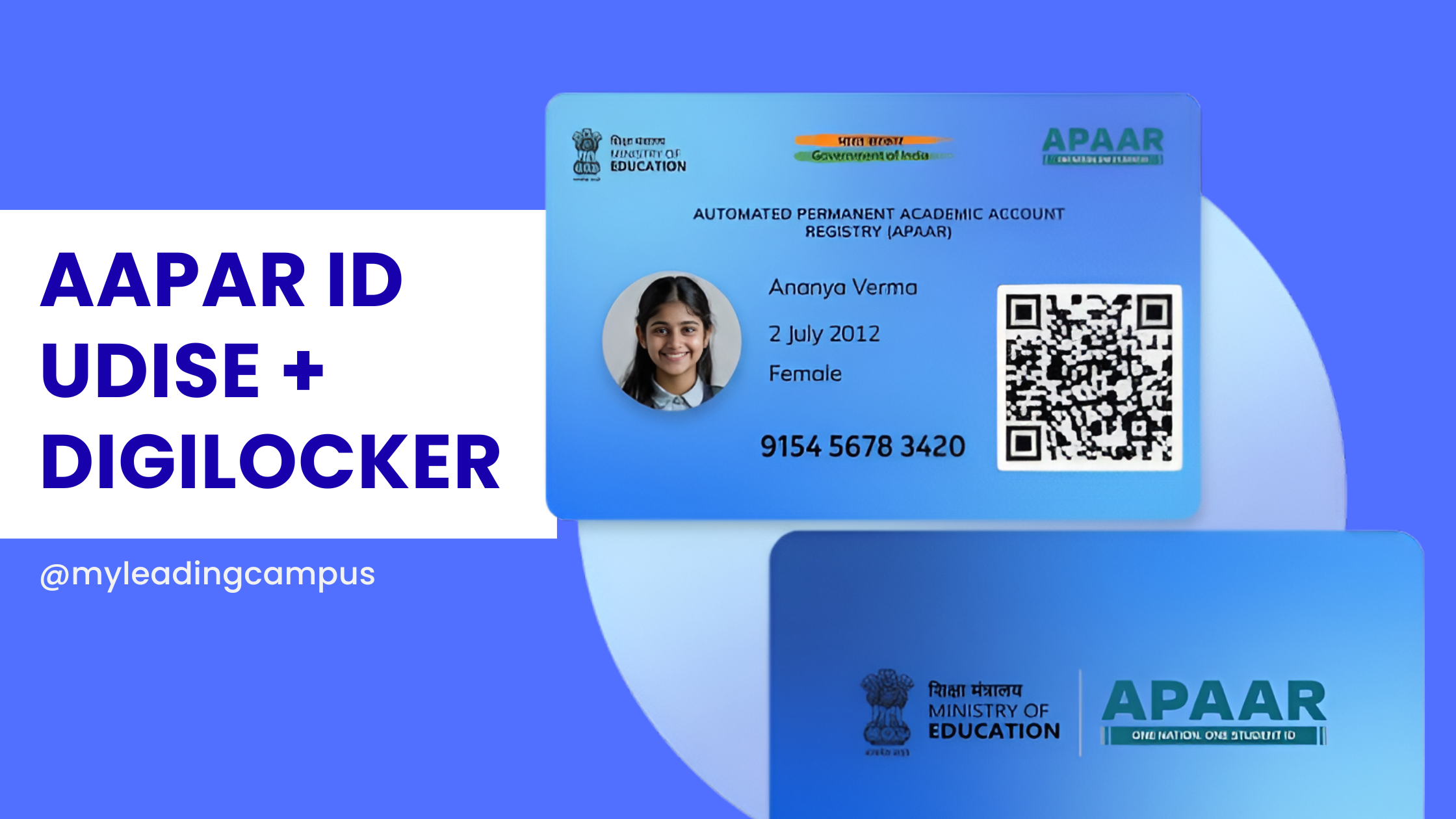
What is APAAR ID? The Real, No-Nonsense Guide for Schools in 2026 Let's be completely honest for a second: running a school right now is starting to feel a whole lot like running a government data entry center. I was chatting with a bunch of school owners recently at the School Summit in Chandigarh, and almost everyone was stressing over the exact same thing. The APAAR ID mandate. If you are a principal or an administrator navigating 2026, you already know the education department is pushing this hard. But what exactly is it, and how on earth are you supposed to manage it without your admin staff quitting out of sheer frustration? What is APAAR ID, Anyway? Think of it as an Aadhaar card, but strictly for academics. APAAR gives every single student a unique 12-digit lifelong ID number. This number ties directly into the Academic Bank of Credits (ABC). So, whether a kid switches to a new school in a different state, wins a recognized sports tournament, or eventually finishes 12th grade, all that data gets securely locked into their personal digital vault. It's actually a fantastic concept for the students, eliminating the need for physical mark sheets and transfer certificates. But for schools? It is a massive logistical headache. The Hidden Challenge: The UDISE Connection A lot of guides skip over how this actually works in practice. You can't just invent an APAAR ID. The system relies on a very specific chain of verified data: School Data → UDISE Verification → APAAR ID Generation → DigiLocker Storage If your UDISE records are outdated, or if a student's name in your register doesn't perfectly match their Aadhaar card, the whole chain breaks. The government portal simply kicks back an error. The Real Numbers: Manual vs. Automated Let's say you have a school with 1,000 students. If you try to manage the UDISE matching, parental consent, and APAAR generation manually by having staff type into government portals, you are looking at: 30–40% error rates due to data mismatches. Weeks of delays chasing down lost paper consent forms. Constant timeouts because the national portals get overwhelmed. This is exactly why we spent so much time building our APAAR ID software for schools. We wanted to flip those numbers. How MyLeading Campus Actually Fixes It Instead of wrestling with messy Excel sheets, our ERP is fully DigiLocker integrated and compatible. We actually set up a dedicated partner account with DigiLocker just to make sure this API connection is rock solid for our partner schools. We built a centralized dashboard just for school principals. You open it up in the morning, and right there you can see the big picture. You know exactly how many IDs are successfully generated, which classes still need parental consent, and which specific Aadhaar/UDISE names are throwing errors so your team can fix them fast. The software handles the hardest part: the parents. It pushes digital consent requests straight to the parents' smartphones. Once they approve it with a quick OTP, you just select the class and click a button to generate the IDs in bulk. No more typing things one by one. Want to implement APAAR without the stress? Stop paying your staff to do manual data entry. Book a free demo today and I will personally walk you through the exact workflow of our school ERP to show you how easy compliance can be. Quick FAQs 1. Is the APAAR ID actually mandatory for my school? Yes. The Ministry of Education requires it for tracking academic progress and managing the ABC. It is becoming the backbone of student identity in India. 2. Can we generate the ID without UDISE data? No. The government requires verified UDISE data as the foundation before an APAAR ID can be legally generated. 3. What is the role of DigiLocker here? DigiLocker is the actual vault. While APAAR is the ID number, DigiLocker is where the mark sheets and certificates are securely stored and verified. 4. Do we have to use the government website directly? You can, but it is painfully slow for bulk entries. Using a DigiLocker-integrated partner system like MyLeading Campus bypasses the manual data entry and lets you do everything from one screen.
Holistic Progress Report Card (NEP 2020): Format, Examples, Challenges & How Schools Can Actually Implement It: Guide for Schools 2026
  • 2026-03-23
  • Admin

Holistic Progress Report Card (NEP 2020): Format, Examples, Challenges & How Schools Can Actually Implement It: Guide for Schools 2026

Holistic Progress Report Card (NEP 2020): Format, Examples & Implementation Guide 2026 If you're a school leader or administrator, you've likely heard about the Holistic Progress Report Card (HPC) under NEP 2020. On paper, it sounds simple — focus on skills, not just marks. But in reality, most schools are struggling with implementation. This guide focuses on one thing: how to actually implement HPC without increasing workload. --- What is a Holistic Progress Report Card? A Holistic Progress Report Card (HPC) is a system introduced under NEP 2020 to evaluate a student’s complete development. Academic performance Skill-based learning Behavioral traits Social and emotional growth Unlike traditional report cards, HPC focuses on continuous development, not just exam results. Traditional vs Holistic Report Card Aspect Traditional Holistic Focus Marks Overall Development Evaluation Exam-based Continuous Skills Tracking No Yes Feedback Limited Detailed --- Why Schools Are Struggling No standard format available Too many evaluation parameters High time consumption Teacher resistance due to workload Lack of proper tools Understanding HPC is easy. Implementing it manually is the real challenge. --- Holistic Progress Report Card Format A practical HPC should include: Student Information Academic Evaluation Skill Assessment Co-curricular Activities Behavioral Observations Teacher Remarks 👉 Explore a complete ready-to-use structure here: Holistic Progress Card Full Solution --- Real Challenge: Time Creating one report manually takes ~20 minutes. For 1000 students = 300+ hours of work. This is why schools are moving toward automation. --- Try Live HPC Builder Instead of imagining, try generating a real report: 👉 Try Free Live HPC Builder --- How Schools Are Solving This Manual Method Excel sheets Word templates Copy-paste remarks Result: Errors, delays, frustration Automated Method Pre-built formats Auto remarks One-click generation Result: Speed, accuracy, consistency --- Benefits of Holistic Progress Cards Better student insights Improved parent communication Reduced teacher workload Future-ready system --- Explore Detailed Guide For a deeper understanding, read our complete guide: 👉 Complete HPC Guide for Schools 2026 --- FAQs (Highly Important) 1. What is a Holistic Progress Report Card? It is a NEP 2020-based report system that evaluates academic, behavioral, and skill-based development of students instead of just marks. 2. Is HPC mandatory for schools? While full implementation is evolving, schools are expected to align with NEP 2020 guidelines, making HPC increasingly essential. 3. How can schools create HPC easily? Manual creation is time-consuming. Schools are adopting automated systems to generate reports quickly and accurately. 4. What is included in an HPC? It includes academics, skills, co-curricular activities, behavior, and teacher remarks. 5. How much time does it take to generate one report? Manually: 15–30 minutesAutomated: Less than 2 minutes 6. Can HPC be customized? Yes, formats can be customized based on school or board requirements. 7. Why is HPC important? It provides a complete picture of a student's growth, helping teachers and parents make better decisions. 8. Is there any software for HPC? Yes, modern ERP systems now offer automated HPC generation aligned with NEP 2020. --- Final Thought HPC is not just a new format. It’s a shift in how education evaluates students. The real question is: Do you want teachers spending hours creating reports… or minutes generating them? 👉 Try Live Builder👉 Explore Full Solution
Holistic Progress Card (HPC) NEP 2020 – Complete Guide for Schools 2026
  • 2026-02-22
  • Admin

Holistic Progress Card (HPC) NEP 2020 – Complete Guide for Schools 2026

For decades, report cards/ Achievement Records in Indian schools meant one thing — marks. But the National Education Policy 2020 (NEP 2020) has changed that. It introduced the concept of the Holistic Progress Card (HPC) — a 360-degree, learner-centric report card designed to reflect not just academic marks, but the overall development of a child. If you are a school leader, principal, or academic coordinator, this guide will help you understand: What is Holistic Progress Card? Why it was introduced? What should it include? How it differs across Foundational, Preparatory, Middle, and Secondary stages? How schools can implement it practically? How to digitize and customize HPC easily? Why Traditional Report Cards Needed Change Earlier report cards were: Marks-focused Exam-heavy Comparison-based Stress-driven NEP 2020 clearly states in Para 4.35 that assessment must shift towards a multidimensional 360-degree progress card. The goal? Move away from rote memorization Reduce exam pressure Promote self-awareness Focus on competencies, not just marks This vision is also supported by CBSE and PARAKH (Performance Assessment, Review, and Analysis of Knowledge for Holistic Development). What is Holistic Progress Card (HPC)? The Holistic Progress Card is: Learner-centric Competency-based Inclusive Multidimensional 360-degree feedback system It includes: Teacher assessment Self-assessment Peer assessment Skills & competency tracking Social-emotional development Physical and well-being indicators It reflects growth over time, not a single exam score. Structure of Holistic Progress Card as per NEP 2020 NEP introduced the 5+3+3+4 academic structure: Foundational Pre-school + Grade 1–2 3–8 Play-based, activity-based Preparatory Grade 3–5 8–11 Experiential learning Middle Grade 6–8 11–14 Subject-oriented Secondary Grade 9–12 14–18 Critical thinking, flexibility Let’s understand how HPC differs across each stage. Holistic Progress Card – Foundational Stage (Pre-Nursery to Grade 2) Focus: Play, curiosity, habits. What should be included? Language development Numeracy readiness Motor skills Social behavior Emotional expression Participation in activities Assessment Style: Observation-based Descriptive feedback Developmental indicators No ranking  This stage must feel encouraging, not evaluative. Holistic Progress Card – Preparatory Stage (Grade 3–5) Focus: Experiential learning. HPC Should Track: Concept clarity Reading & comprehension Application of knowledge Creativity Teamwork Communication skills Environmental awareness Here, numeric grading may begin but must be supported by qualitative feedback. Holistic Progress Card – Middle Stage (Grade 6–8) Focus: Subject understanding + competencies. HPC Must Include: Subject-wise conceptual understanding Analytical ability Problem-solving Digital literacy Research skills Social & emotional growth Participation in projects Peer assessment becomes meaningful here. Holistic Progress Card – Secondary Stage (Grade 9–12) Focus: Depth, critical thinking, life readiness. HPC Should Cover: Core subject mastery Application-based learning Career orientation indicators Life skills Leadership qualities Community engagement Responsibility & ethics Board exams continue, but HPC adds a broader perspective. Key Features of a Proper Holistic Progress Card A strong HPC must be: ✔ Participatory✔ Inclusive✔ Flexible✔ Interdisciplinary✔ Growth-oriented✔ Competency-tracking It should build self-esteem, not fear. Components of a 360° Holistic Progress Card A well-designed HPC includes: 1. Academic Performance Concept clarity, understanding, application. 2. Skills & Competencies Cognitive Metacognitive Social-emotional Practical 3. Attitudes & Values Respect Responsibility Environmental awareness 4. Well-being Physical health Participation in sports Emotional stability 5. Self & Peer Reflection Students reflect on: What they did well What they can improve Goals for next term Common Challenges Schools Face in Implementing HPC Too much manual work Teachers confused about rubrics No standard format Lack of digital tools Difficulty in maintaining consistency This is where ERP-based automation helps. How Schools Can Implement Holistic Progress Card Easily Instead of managing spreadsheets, schools can: Define stage-wise templates Create skill-based rubrics Enable teacher, peer, self inputs Auto-generate descriptive feedback Maintain term-wise tracking Share digital report cards A proper ERP system can integrate HPC within academic modules. Read also: Complete NEP-aligned ERP Guide: HPC with School ERP  Digital Holistic Progress Card – Why It Matters Manual HPC: Time-consuming Inconsistent Hard to archive Digital HPC: ✔ Standardized✔ Editable✔ Customizable per school✔ Easy parent access✔ Long-term tracking✔ NEP-compliant Sample Format of Holistic Progress Card A well-designed HPC includes: Student Profile Academic Overview Competency Matrix Co-curricular Record Teacher Feedback Peer Reflection Self-Reflection Parent Remarks Overall Growth Summary Role of PARAKH in Assessment Reform PARAKH is the national assessment centre set up to: Standardize assessment norms Guide school boards Promote competency-based evaluation Reduce rote-driven assessment Schools aligning with HPC are future-ready. Final Thoughts Holistic Progress Card is not just a new report format. It is a shift: From marks → to growthFrom comparison → to reflectionFrom pressure → to development Schools that adopt HPC properly will not just comply with NEP 2020 — they will transform their learning culture. Do you want a software that aligns with NEP 2020 and HPC . Contact MyLeading Campus® today . Contact us
Chat with us on WhatsApp