Smart ERP for Schools, Colleges & Universities

How to Keep Your School’s Data Safe: A Practical Guide for Principal(2026)

Schools hold vast amounts of sensitive information and in today’s digital age, Protecting that data is no longer an option—it’s essential. Today in this guide we will explore why data protection is important in schools, what are the risks involved, key best practices, and how a well-designed school ERP can be a solution.

Setting the Context: Data in Schools

Schools today collect and store a wide range of information: student and parent personal details, health records, fee payments, attendance logs, transport details, exam results, and more. With the rise of digital systems, this data often lives in cloud platforms or integrated software rather than paper files.

As one article notes:

“Schools in India need to understand and implement new data protection laws to safeguard personal data…Schools, by default, collect a lot of personal data, not only of students but also of parents and guardians.” [1]:contentReference[oaicite:0]{index=0}

In fact, in India, the education sector is one of the most targeted for cyberattacks. A recent report mentioned that Indian educational institutions encountered an average of 8,487 attacks per week, which is almost double the global average. [2]:contentReference[oaicite:1]{index=1}

We can clearly say that, given this context, protecting school data is not just about IT systems—it’s also about trust, reputation, and compliance.

Major Risks & Threats around the School's data:

1. Illegitimate Access & Data Breach

Weak access controls or systems are misconfigured or poorly managed, and personal data is vulnerable to unauthorised access. For example, one prominent Indian education app exposed millions of teacher and student records due to an unprotected cloud server. [3]:contentReference[oaicite:2]{index=2}

2. Use of Personal Data Without Consent

Children’s data is sensitive. According to India’s Digital Personal Data Protection Act and other commentary, schools must ensure “verifiable consent” especially when processing data of minors. [4]:contentReference[oaicite:3]{index=3}

3. Data Minimisation & Purpose Creep

Schools often collect more information than they really need—or share data with third parties (like transport, canteen or Learning-Management Systems) without clear consent. This can introduce risk. :contentReference[oaicite:4]{index=4}

4. Older Systems & Vulnerabilities

Legacy systems, weak passwords, unsecured networks, lack of encryption—all raise vulnerability. Against a backdrop of regular cyber-attacks, this is a clear threat. :contentReference[oaicite:5]{index=5}

5. Non-Compliance Regulatory

If schools fail to comply with data protection regulation, they not only risk data loss but also penalties, reputation damage and parent mistrust.

Role of School ERP in Data Protection

A modern school ERP or school management software is more than attendance and finance. It becomes a platform to centralise, streamline, and secure data management. Here’s how:

Centralised Data Storage with Controlled Limited Access (need to know basis)

Instead of juggling multiple spreadsheets, paper files, WhatsApp groups, and complex systems which doesn't communicate with each other, a single integrated ERP means centralised access to secure and accurate data, Access controls, role-based permissions, and audit trails to manage who sees what and when.

Secure Infrastructure & Encryption

Good ERPs deploy in secure cloud environments, which are not only secured but also manage encryption, have regular backups, and have a disaster-recovery plan—essentials for compliance and resilience.

Consent, Audit Records & Data Minimisation

ERPs can record parental consent, manage document retention policies, segment data by purpose, and remove data when no longer needed—supporting the principles of purpose limitation and minimisation.

Integration Without Risk

Schools often use transport apps, biometric attendance, mobile apps, etc. A strong ERP enables integration with vetted tools rather than scattering data across unconnected vendors and risking leakage.

Compliance Dashboards & Reporting

With regulations tightening, ERPs help produce audit logs, data breach reports, and consent registries. For example, you can track changes, exports, deleted records, and build an incident-response workflow.

Why MyLeading Campus® Stands Out for Data Protection

While there are many ERP systems available for schools today, MyLeading Campus® is a perfect option as it is an ISO-certified platform that follows the best industry standards for data security and integrity, it has built in feature of audit logs and access control for enhanced user experience, with security at its core, it provides best in industry protection, robust architecture, and privacy-first features — making it one of the most trusted solutions for schools,colleges and university that value both performance,security and experience.

  • Enterprise-grade encryption: Data both at rest and in transit is encrypted using modern standards.
  • Role-based access & audit logs: Every access or change is logged in the system to support transparency.
  • Consent management module: Schools can capture, store, and manage parental/staff consent directly in the system.
  • Vendor integration controls: The platform supports safe integration with approved modules—reducing data scatter.
  • Backup & redundancy: Multi-region cloud backup ensures resilience even in the case of incidents.
  • Dedicated compliance support: The ERP comes with features to assist in compliance with DPDP Act, and training material for schools’ staff and students.

By choosing MyLeading Campus as your school ERP, you align not just with administrative efficiency—but with data governance, trust, and safety.

Best Practices for Schools to follow

  • Maintain a clear data protection policy with defined roles, responsibilities, and procedures to follow.

  • Conduct regular audits and risk assessments, including third-party evaluations, to identify potential vulnerabilities.

  • Use strong, unique passwords and enable multi-factor authentication (MFA) wherever possible.

  • Restrict data access to only those who truly need it — following the “principle of least privilege.

  • Encrypt all sensitive data and backups, and ensure secure deletion of records once they expire.

  • Train staff and students regularly on cybersecurity awareness — from identifying phishing emails to avoiding suspicious links.

  • Develop a data breach response plan that outlines the procedures for managing, reporting, and reviewing incidents.

  • Review contracts with third-party vendors to ensure they also follow strict data protection standards.

  • Keep parents informed about what data is collected, why it’s needed, and how it’s protected.

Technology (like a modern CRM/ERP) helps—but culture and process matter even more.

Frequently Asked Questions (FAQs)

Q. What kinds of school data are at risk?

A. Student and staff personal details (names, addresses, phone numbers), health records, fee transaction data, transport logs, CCTV footage, and biometric attendance—all can be sensitive.

Q. Do schools need to comply with the DPDP Act now?

A. Yes. While full implementation timelines vary, the act sets out obligations for data fiduciaries, including notification, purpose limitation, and consent. Preparing now is prudent. :contentReference[oaicite:10]{index=10}

Q. Is a standalone attendance or transport app sufficient for security?

A. Not always. If separate systems are used without proper linking, data can become fragmented and unmanaged. A unified school ERP helps centralise control and reduce risk.

Q. What should I ask an ERP vendor about security?

A. Ask about encryption standards, audit logs, vendor integration policy, backup/restoration, data deletion policy, role-based access, and incident response plan.

Q. How do we build parent trust around data protection?

A. Share your data policy, explain what data you collect and why, show how you protect it, and give parents access (via mobile app or portal) to their child’s records in a secure way.

Conclusion

Schools today operate in a data-rich environment. With increasing digitisation comes higher responsibility—not only to the children, parents, and staff whose information you hold, but to your institution’s reputation and legal standing.

Adopting a well-designed school ERP that treats data protection and security as core, not optional, is one of the strongest steps you can take. With features such as encryption, centralised access control, audit trails, consent management, and seamless integration, your institution can build trust, streamline operations, and focus on what matters most—education.

If you'd like to explore how MyLeading Campus supports secure, compliant, and effective data management for schools, please get in touch for a demo and evaluation.

The guide to college and university erp integration time and on premise server solution in 2026
  • 2026-05-22
  • Admin

The guide to college and university erp integration time and on premise server solution in 2026

How Long Does College,Universities ERP Integration Take? Timelines & On-Premises Solutions Colleges and universities today are not simply searching for another software provider. They need a technology partner who understands how Indian institutions actually work — from admissions and examinations to NAAC processes, finance, and day-to-day administration. That is where MyLeading Campus® makes a difference. Built in India for Indian educational institutions, MyLeading Campus® helps affiliated colleges, autonomous colleges, deemed universities, and private universities manage their complete campus operations from one place. From admissions and academics to examinations, finance, student communication, and NAAC-related work, the platform is designed to reduce manual work and simplify daily operations. Proudly Indian. Built for Indian Institutions. MyLeading Campus® is not just another ERP company. It is a proudly Indian education technology platform trusted by institutions across the country. The platform is: DPIIT Registered Startup ISO 9001:2015 Certified DigiLocker Authorized Partner Google for Education Partner These recognitions matter because educational institutions today need secure, scalable, and compliant systems that can grow with them. Every institution has its own way of working. Some follow CBCS structures, some are autonomous, while others have specific university or NAAC requirements. MyLeading Campus® is flexible enough to adapt according to the institution’s academic structure and operational workflow instead of forcing institutions to change their process. Designed for Colleges, Universities, and Autonomous Institutions Many software platforms are either school-focused or too generic. MyLeading Campus® is specifically designed keeping Indian higher education institutions in mind. If you are searching for a complete ERP for colleges, you can also explore: Best College Management Software in India Best University ERP for Autonomous and Deemed Universities The software supports: Admission Management Alumni Management Training and Placement Management Student Information System Examination & Result Management NAAC Documentation Outcome Based Education (OBE) Attendance Management Fees & Finance HR & Payroll Hostel & Transport Alumni Management Learning Management System AI-enabled Automation Mobile Apps for Students, Faculty, Parents & Management Fast Integration Support Without Long Waiting Time One of the biggest concerns institutions face while changing ERP software is integration delays. Most universities worry about questions like: “How long will payment gateway integration take?” “Can this connect with our CRM?” “Will Tally integration take months?” “Can we use our existing systems together?” MyLeading Campus® focuses heavily on quick integration timelines so institutions can start operations faster. Payment Gateway Integration in Just 3 Days Online fee collection has become essential for colleges and universities. MyLeading Campus® supports integration with multiple payment gateways including: Razorpay PhonePe NTT DATA PayU JioPay These integrations can usually be completed within 3 working days. This helps institutions start online fee collection quickly with secure payment tracking, automated receipts, reconciliation, and student notifications. CRM and Communication Integration Within 48 Hours Admissions and lead management have become highly competitive. To support admission teams and counselors, MyLeading Campus® integrates with: Salesforce Zoho Tata Tele telecalling systems Most of these integrations can be completed within 48 hours depending on access availability. This helps institutions: Track admission leads Automate follow-ups Record telecalling activities Manage counselor performance Improve admission conversion rates Calendar and Meeting Platform Integration Modern institutions use multiple tools for online classes, meetings, interviews, webinars, and counseling. MyLeading Campus® supports fast integration with: Calendly — within 24 hours Zoom — within 24 hours Google Meet — within 24 hours Microsoft Teams — within 24 hours This makes online scheduling and virtual academic operations easier for faculty and administration teams. Tally and SAP Integration for Finance Teams Finance departments often hesitate before changing ERP because accounting integrations are critical. MyLeading Campus® supports integration with: Tally SAP Implementation time is generally around 7 working days. This helps institutions synchronize: Fee collection Financial reports Accounting entries Payroll records Finance reconciliation without duplicate manual work. Moodle Integration in Just 2 Days Many colleges and universities already use Moodle for LMS and online learning. MyLeading Campus® can integrate with Moodle within 2 working days, helping institutions connect academics, attendance, assignments, and learning activities under one ecosystem. Customization Support Based on Institutional Needs Every college and university operates differently. Some institutions follow strict autonomous workflows. Some require complex examination patterns. Others need special approval hierarchies, biometric integrations, or department-level custom modules. MyLeading Campus® is highly customizable according to institutional requirements. Customization support may include: Custom admission workflows Autonomous examination structures Specialized grading systems Department-specific approvals Custom reports NAAC data requirements Multi-campus management University-affiliated workflows The implementation team works closely with institutions to understand operational challenges before deployment. On-Premises Server Deployment Available Not every institution prefers cloud-only hosting. Many universities and government institutions want their data to remain within their own campus infrastructure due to internal policies, security requirements, or compliance reasons. MyLeading Campus® also provides On-Premises Deployment options, where the ERP can be hosted directly on the institution’s own physical servers inside the campus. Today, the platform supports thousands of active users and continues to grow across schools, colleges, and universities in India. This gives institutions more control over: Data security Internal server policies Network access Storage management Internal IT governance Institutions can choose between: Cloud Hosting Hybrid Deployment Fully On-Premises Campus Server Hosting depending on their requirements. Why Institutions Trust MyLeading Campus® Educational institutions prefer long-term reliability over temporary promises. MyLeading Campus® focuses on: Easy-to-use interface Faster implementation Quick integrations Reliable support Affordable pricing Customization flexibility Indian education compliance Dedicated onboarding assistance The platform is already supporting thousands of daily users and continues to scale across schools, colleges, and universities in India. Final Thoughts Choosing an ERP is about much more than just ticking boxes on a feature list. The real test is how naturally the software blends into the way your staff already works. You need those custom updates and tool integrations to happen quickly and smoothly, without bringing your campus's daily routine to a halt MyLeading Campus® combines: Fast integration timelines Strong customization capability Indian education expertise Secure deployment options Scalable infrastructure Reliable support for colleges, universities, autonomous institutions, and deemed universities across India. If your institution is planning ERP implementation, digital transformation, NAAC preparation, online admissions, or centralized campus management, MyLeading Campus® offers a practical and scalable solution designed specifically for Indian higher education institutions. Ready to Upgrade Your Campus? Contact us today Frequently Asked Questions (FAQs) 1. Is MyLeading Campus® only for universities or can colleges also use it? MyLeading Campus® is made for both colleges and universities. Whether your institution is affiliated, autonomous, private, or deemed, the software can be adjusted according to your way of working. 2. We already use other software. Can MyLeading Campus® work with them? Yes, definitely. Many institutions already use tools like Tally, Moodle, Salesforce, Zoho, Zoom, or payment gateways. MyLeading Campus® can connect with these systems so you do not have to start everything from zero. 3. How quickly can online fee payment be started? In most cases, payment gateway integration can be completed within around 3 working days. This helps colleges start online fee collection faster without long waiting periods. 4. Can we keep the software on our own college server? Yes. If your institution does not want cloud hosting, the software can also be installed on your own campus server. Many universities prefer this for internal policies and better control over data. 5. Is the software difficult for staff and faculty to use? No. The system is designed in simple and easy format so faculty, admin staff, and students can use it without much technical knowledge. Training and support are also provided by the team. 6. Can the software be customized for our university rules and process? Yes. Every college and university works differently. Some have different exam structures, grading systems, approval processes, or NAAC requirements. MyLeading Campus® can be customized according to your institution’s needs. 7. Does MyLeading Campus® help with NAAC work? Yes. Many colleges use the software to manage records, reports, academic data, and department activities which are useful during NAAC preparation and documentation. 8. How much time does implementation usually take? It depends on the size of the institution and the modules required. Basic setup can start quickly, while bigger customizations and integrations may take a little more time. 9. Will students and teachers get mobile app access? Yes. Separate mobile apps are available for students, faculty, parents, and administrators for attendance, notices, assignments, fees, communication, and academic updates. 10. Is MyLeading Campus® an Indian company? Yes. MyLeading Campus® is a proudly Indian ERP platform built specially for Indian educational institutions. It is also DPIIT Registered, ISO 9001:2015 Certified, DigiLocker Authorized Partner, and Google for Education Partner.
The Ultimate Guide to the HPC Report Card: Meaning, CBSE Guidelines, and Best Software-2026
  • 2026-04-06
  • Admin

The Ultimate Guide to the HPC Report Card: Meaning, CBSE Guidelines, and Best Software-2026

The Ultimate Guide to the HPC Report Card: Meaning, CBSE Guidelines, and Best Software (2026)   The National Education Policy (NEP) 2020 has fundamentally changed how student development is assessed in India. Moving away from rote memorization and stressful year-end exams, the focus has shifted to comprehensive, 360-degree student evaluation. At the heart of this educational revolution is the HPC report card. If you are a school administrator, principal, or educator navigating these new requirements, you are likely looking for the best way to implement these changes smoothly. In this post, we will cover the HPC full form, the holistic progress card meaning, the exact guidelines for HPC as per CBSE, and why adopting dedicated holistic progress card software is the smartest move for your institution. HPC Full Form & Holistic Progress Card Meaning Let’s start with the basics. The HPC full form stands for "Holistic Progress Card." But what exactly is the holistic progress card meaning in practical terms? Unlike traditional mark sheets that only reflect academic scores in subjects like Math and Science, the HPC is a comprehensive evaluation tool. It assesses a student's development across three critical domains: Cognitive: Knowledge, critical thinking, and problem-solving skills. Affective: Emotional intelligence, teamwork, empathy, and social skills. Psychomotor: Physical fitness, coordination, and practical, hands-on skills. It incorporates self-assessment, peer assessment, and teacher evaluation, making the student an active participant in their own learning journey. Implementing HPC as per CBSE Guidelines For schools affiliated with the Central Board of Secondary Education, transitioning to this new format is not just recommended; it is a compliance requirement under NEP 2020. Implementing HPC as per CBSE requires schools to track competency-based learning outcomes rather than just syllabus completion. An effective HPC for CBSE School must reflect a child's unique strengths, learning pace, and areas for improvement without labeling or ranking them against their peers. To understand the deeper administrative challenges and formats, check out our detailed Guide on HPC Format, Examples, and How Schools Can Actually Implement It. The Four Stages of the HPC Report Card The National Curriculum Framework (NCF) divides schooling into four distinct stages, and the HPC format changes to match the developmental needs of the child at each level: Foundational Stage (Ages 3-8) Preparatory Stage (Ages 8-11) Middle Stage (Ages 11-14) Secondary Stage (Ages 14-18) Stay tuned for our upcoming deep-dive blog series where we break down exactly "How to fill the HPC" for the Foundational, Preparatory, Middle, and Secondary stages! Why You Need Dedicated Holistic Progress Card Software Gathering data for self-assessment, peer reviews, project-based learning, and teacher observations for hundreds of students is an administrative nightmare if done manually on paper or basic spreadsheets. This is where holistic progress card software becomes indispensable. Using an automated, NEP-compliant digital platform eliminates data entry errors, saves thousands of teacher-hours, and generates beautifully designed, parent-friendly reports in seconds. At MyLeading Campus, we have developed a state-of-the-art HPC creation software specifically designed to solve this problem. Any school can test a live, customized HPC report card complete with their own custom branding and school logo. ### Benefits of Our HPC Software: 100% NEP & CBSE Compliant: Always up-to-date with the latest board mandates. Custom Branding: Your report cards reflect your school’s unique identity and colors. Easy Data Input: Streamlined dashboards for teachers to input qualitative and quantitative feedback. Live Testing: Don't just take our word for it—test the live customized report card generation yourself before rolling it out to your staff. Take the Next Step for Your School Transitioning to the HPC doesn't have to be overwhelming. With the right knowledge and the right technology partner, your school can lead the way in holistic education. Ready to digitize your assessments? Visit our dedicated Holistic Progress Card (HPC) Landing Page to request your live customized demo. Need more in-depth information? Read our Complete Guide to HPC and NEP 2020 for Schools. Transform your school's evaluation process today and give your students the 360-degree feedback they deserve! contact us today for free demo
What is APAAR ID? Complete Guide for Schools and colleges 2026
  • 2026-03-30
  • Admin

What is APAAR ID? Complete Guide for Schools and colleges 2026

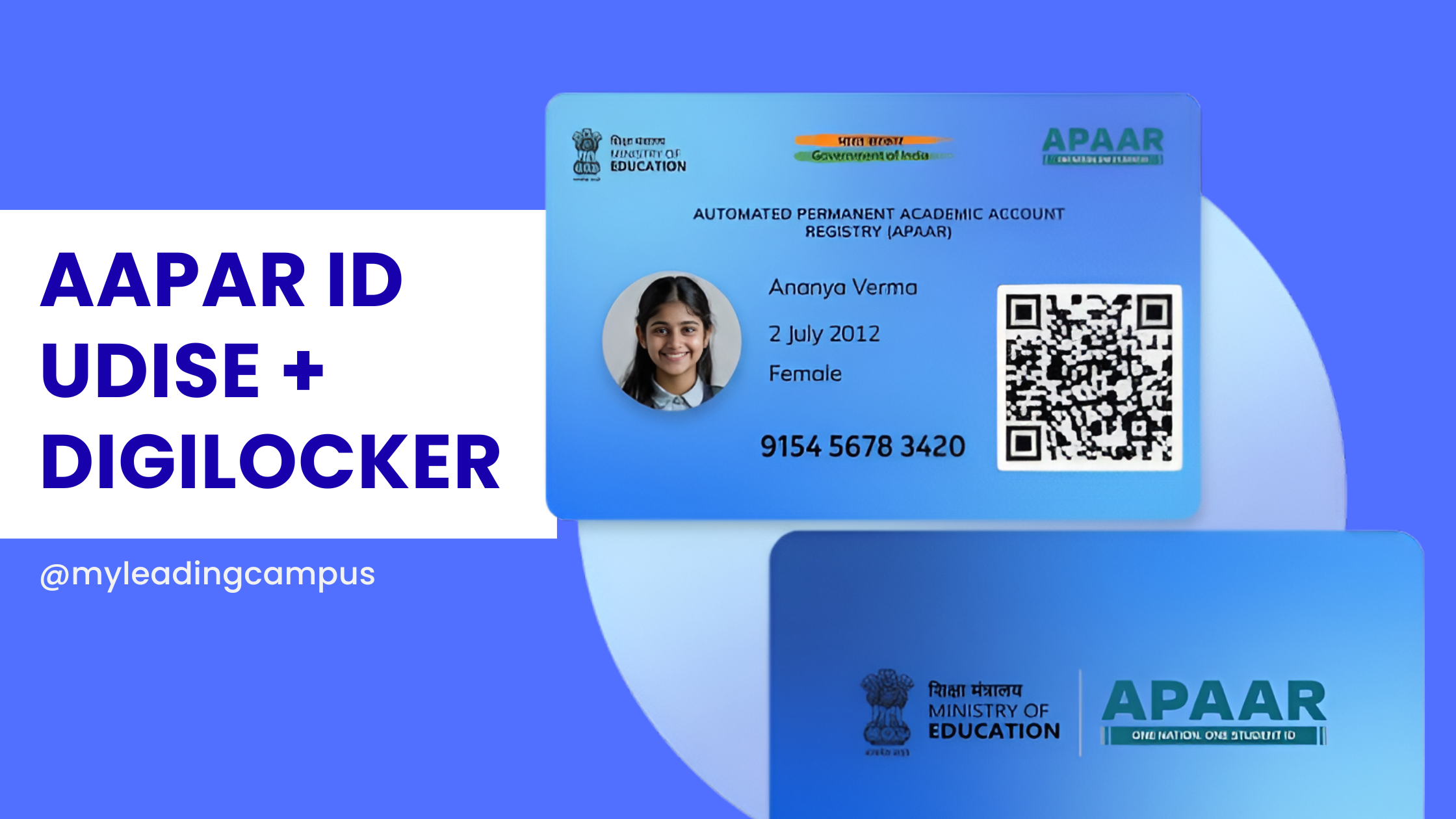
What is APAAR ID? The Real, No-Nonsense Guide for Schools in 2026 Let's be completely honest for a second: running a school right now is starting to feel a whole lot like running a government data entry center. I was chatting with a bunch of school owners recently at the School Summit in Chandigarh, and almost everyone was stressing over the exact same thing. The APAAR ID mandate. If you are a principal or an administrator navigating 2026, you already know the education department is pushing this hard. But what exactly is it, and how on earth are you supposed to manage it without your admin staff quitting out of sheer frustration? What is APAAR ID, Anyway? Think of it as an Aadhaar card, but strictly for academics. APAAR gives every single student a unique 12-digit lifelong ID number. This number ties directly into the Academic Bank of Credits (ABC). So, whether a kid switches to a new school in a different state, wins a recognized sports tournament, or eventually finishes 12th grade, all that data gets securely locked into their personal digital vault. It's actually a fantastic concept for the students, eliminating the need for physical mark sheets and transfer certificates. But for schools? It is a massive logistical headache. The Hidden Challenge: The UDISE Connection A lot of guides skip over how this actually works in practice. You can't just invent an APAAR ID. The system relies on a very specific chain of verified data: School Data → UDISE Verification → APAAR ID Generation → DigiLocker Storage If your UDISE records are outdated, or if a student's name in your register doesn't perfectly match their Aadhaar card, the whole chain breaks. The government portal simply kicks back an error. The Real Numbers: Manual vs. Automated Let's say you have a school with 1,000 students. If you try to manage the UDISE matching, parental consent, and APAAR generation manually by having staff type into government portals, you are looking at: 30–40% error rates due to data mismatches. Weeks of delays chasing down lost paper consent forms. Constant timeouts because the national portals get overwhelmed. This is exactly why we spent so much time building our APAAR ID software for schools. We wanted to flip those numbers. How MyLeading Campus Actually Fixes It Instead of wrestling with messy Excel sheets, our ERP is fully DigiLocker integrated and compatible. We actually set up a dedicated partner account with DigiLocker just to make sure this API connection is rock solid for our partner schools. We built a centralized dashboard just for school principals. You open it up in the morning, and right there you can see the big picture. You know exactly how many IDs are successfully generated, which classes still need parental consent, and which specific Aadhaar/UDISE names are throwing errors so your team can fix them fast. The software handles the hardest part: the parents. It pushes digital consent requests straight to the parents' smartphones. Once they approve it with a quick OTP, you just select the class and click a button to generate the IDs in bulk. No more typing things one by one. Want to implement APAAR without the stress? Stop paying your staff to do manual data entry. Book a free demo today and I will personally walk you through the exact workflow of our school ERP to show you how easy compliance can be. Quick FAQs 1. Is the APAAR ID actually mandatory for my school? Yes. The Ministry of Education requires it for tracking academic progress and managing the ABC. It is becoming the backbone of student identity in India. 2. Can we generate the ID without UDISE data? No. The government requires verified UDISE data as the foundation before an APAAR ID can be legally generated. 3. What is the role of DigiLocker here? DigiLocker is the actual vault. While APAAR is the ID number, DigiLocker is where the mark sheets and certificates are securely stored and verified. 4. Do we have to use the government website directly? You can, but it is painfully slow for bulk entries. Using a DigiLocker-integrated partner system like MyLeading Campus bypasses the manual data entry and lets you do everything from one screen.
Chat with us on WhatsApp